
Key point
The biggest macro pad mistake is treating speed as safety. A device can make commands easier to reach, but it can also make the wrong command easier to press.
A safer macro pad workflow starts with fewer commands, clearer labels, visible command zones, and demo-tested behavior before the device is trusted for serious MT5 actions.
Mistake one: filling every key
A full macro pad can look powerful in a product photo, but it can be harder to use in real trading. When every key has a command, the trader has fewer visual breaks and more chances to press the wrong action.
Blank keys can be a safety feature. They create separation between command families and help the user recognize where one type of action ends and another begins.
Mistake two: using vague labels
Labels such as Fast, Safe, Win, Panic, or Fix do not describe what MT5 will do. They may feel useful, but they hide the actual platform action.
A safer label names the command and preserves scope when scope matters. Close Symbol, BE+Buffer, Trail, Panel, or Map are more useful than labels that describe emotion or hope.
Mistake three: mixing entries and close commands
Entry commands and close commands should not be crowded together. A mistaken entry can add exposure, while a mistaken close can remove exposure or change an open trade before the trader realizes what happened.
A safer macro pad layout separates entry keys, protection keys, close keys, and utility keys. The trader should know which zone they are reaching for before touching the device.
Mistake four: trusting an old profile
Macro pads can use profiles, layers, driver software, or onboard memory. If the active profile changes, the physical label may no longer match the output sent to the computer.
The user should confirm the active profile before relying on the layout. This is especially important after moving the device to another computer, updating drivers, or editing keyboard mappings.
Mistake five: ignoring MT5 focus
A macro pad key may depend on the active window, chart, or software panel. If MT5 focus is not where the user expects, the command workflow may not behave as intended.
A safer routine includes checking the active MT5 terminal, account mode, chart context, and position list before using high-impact keys.
Mistake six: assuming broker symbols match
Broker symbols can include suffixes, prefixes, or contract names that differ from the simple market name a trader says out loud. XAUUSD may appear with an additional ending depending on the broker.
Current-symbol workflows should be tested with the exact broker symbol shown in MT5. The chart title and position list should match the command expectation.
Mistake seven: skipping demo testing
Skipping demo testing turns a macro pad into a guess. A user should test each key in a controlled demo scenario before treating it as ready for serious workflow use.
The test should include a written expected result, one key press, and an after-state check in MT5. If the after-state does not match the expectation, the key should be removed or remapped.
Mistake eight: hiding dangerous commands
Broad close commands and account-wide actions should never be hidden behind vague labels or placed where the hand lands casually. The more a command can affect, the clearer and more deliberate its placement should be.
A high-impact key should be visually distinct, physically separated, and proven in demo. If that feels inconvenient, the inconvenience may be protecting the user from a bigger mistake.
Mistake nine: copying another trader blindly
Another trader's macro pad layout may reflect a different broker, symbol set, trade size, product version, or risk process. Copying it can create a setup that looks professional but does not match the user's actual workflow.
A better approach is to start with the user's own repeated MT5 actions, then add only the commands that are understood, documented, and demo-tested.
Mistake ten: no recovery habit
A macro pad workflow should include a recovery habit. If a key behaves unexpectedly, the user should stop pressing keys, inspect MT5, record what happened, and fix the setup before continuing.
Pressing more keys during confusion can turn one mapping mistake into several platform actions. A calm stop-and-check habit protects the account workflow.
Mistake eleven: assuming hardware is included
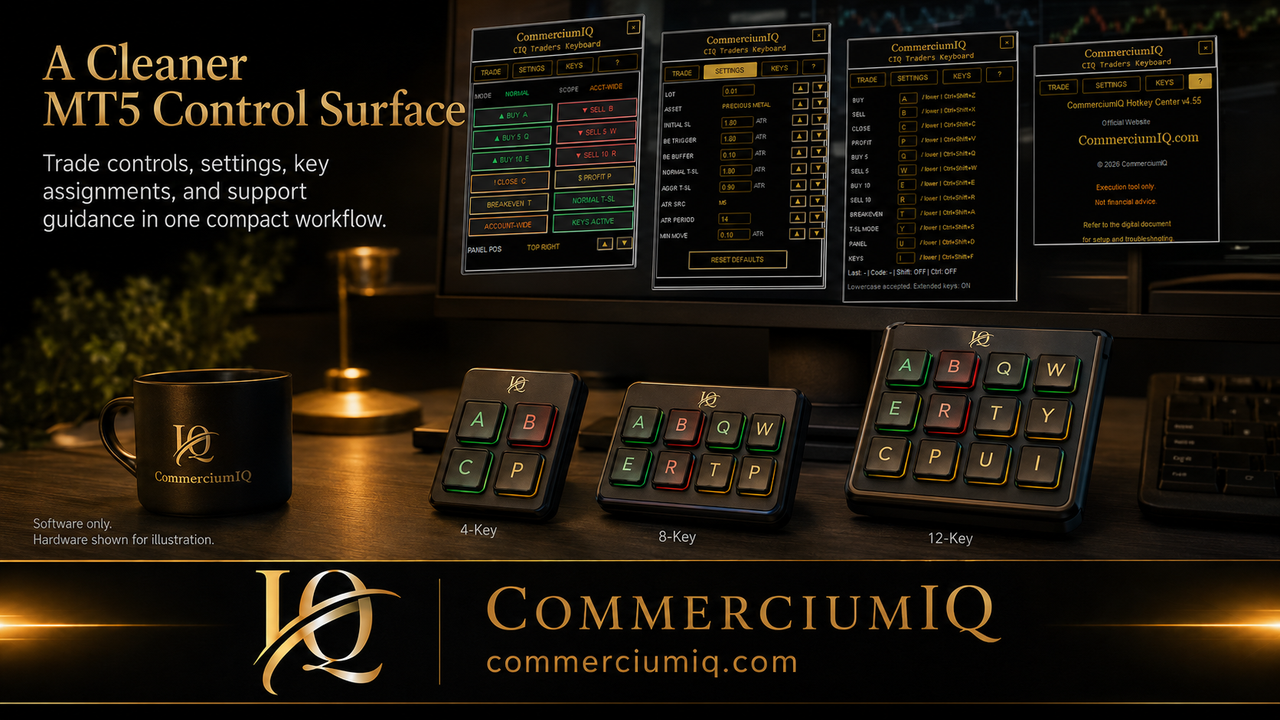
A product page may show keyboard or macro pad concepts to explain workflow, but that does not mean a physical device is included. Buyers should read the checkout page and included-file description carefully.
CIQ Traders Keyboard should be evaluated as software workflow support unless the product page explicitly says otherwise. Hardware assumptions can create unnecessary disappointment and support confusion.
Final mistake-prevention rule
The final rule is to keep the macro pad readable, separate high-impact actions, confirm the active profile, test each command in demo, and remove keys that are not understood.
A macro pad should make manual MT5 workflow calmer and more repeatable before it makes anything faster.
Mistake review drill before serious use
A practical mistake review drill starts with the macro pad disconnected from any serious trading workflow and the MT5 terminal open in demo. The user points to each active key and explains what the key should do before pressing anything.
If the explanation is unclear, the key is not ready. If the user cannot describe whether the command opens exposure, closes exposure, changes protection, or only opens a panel, the command should be removed from fast access until the workflow is documented.
This drill is simple, but it catches the exact type of mistake that a visually polished layout can hide.
Mistakes caused by routine drift
A macro pad can become riskier over time when the routine slowly drifts. The user may update MT5, change brokers, adjust CIQ settings, remap a profile, or move the device to another computer without reviewing the physical labels.
The dangerous part is that the device still looks familiar. A familiar-looking key can trigger a different output if the profile or software command changed.
A quarterly review, or a review after every major setup change, keeps the hardware surface aligned with the actual software workflow.
Safer correction after a wrong key press
If the wrong macro pad key is pressed during demo testing, the best response is not to keep pressing keys. The safer response is to stop, inspect MT5, write down the actual result, and compare it with the expected result.
The user should then decide whether the issue came from the physical label, device profile, software command, active window, broker symbol, or misunderstanding of command scope.
Only after the cause is clear should the key be remapped, relabeled, moved, or removed.