Software-only MT5 execution keyboard system

Faster MT5 execution. Cleaner trade management.

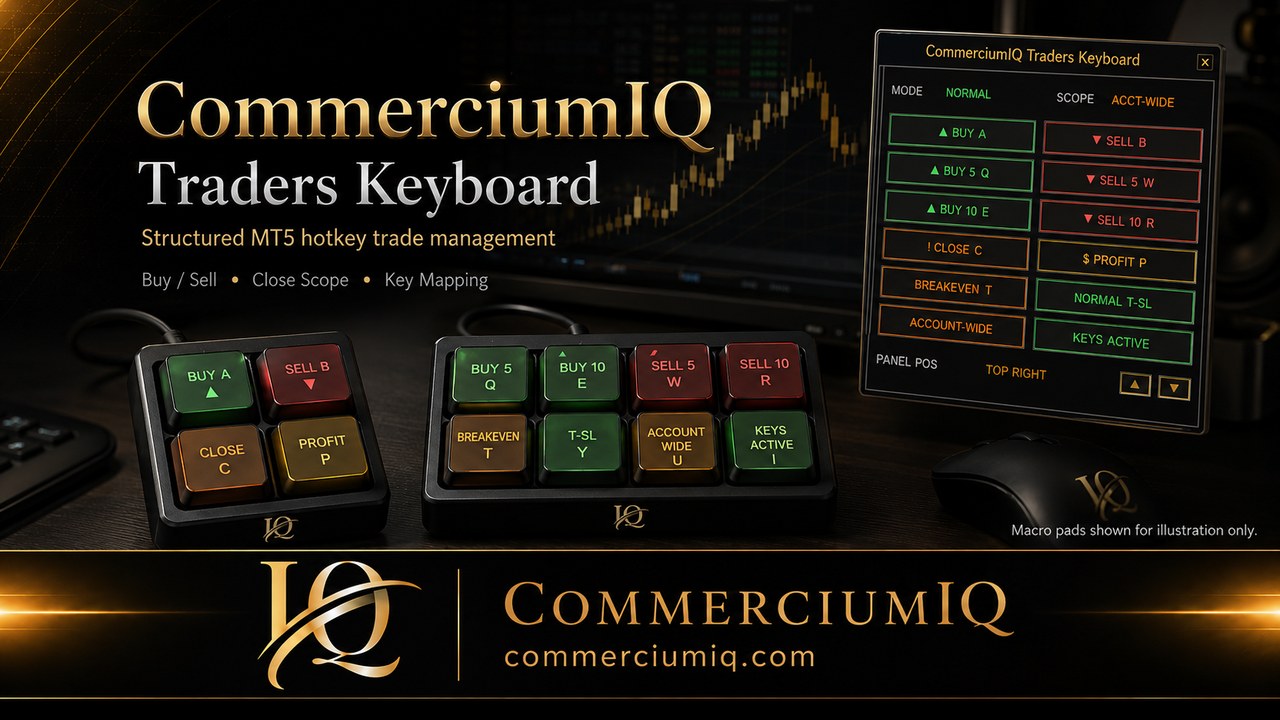
CommerciumIQ Traders Keyboard is a premium MT5 Hotkey Command Center for retail traders who want structured buy/sell controls, scope-based closing, breakeven protection, trailing-stop modes, and keyboard remapping — using their own compatible macropad or keyboard.

Founders Promo pricing shown on the right. Software-only license. Hardware not included.

01

Map your controls

Connect common MT5 actions to a familiar keyboard or macropad layout.

02

Execute with less friction

Use structured hotkey workflows instead of hunting through chart menus.

03

Control closing scope

Separate current-symbol and account-wide actions so the workflow stays intentional.

04

Stay realistic

Software helps organize execution. It does not provide signals, advice, or profit guarantees.

Important: Software-only MT5 execution workflow tool. It does not predict markets, provide financial advice, or guarantee profits. Hardware shown in visuals is for illustration only and is not included.

The problem

Manual MT5 execution can get messy fast.

When you are switching between mouse clicks, chart tabs, order panels, and normal keyboard shortcuts, your execution workflow can become inconsistent. The goal is not to replace skill or analysis — it is to make the action layer cleaner.

01Too many repetitive clicks

Buy, sell, close, protect, and manage positions without hunting through menus.

02Scope confusion

Choose Current Symbol or Account-Wide close behavior clearly before using close commands.

03Keyboard/mouse friction

Use a dedicated trading key map instead of improvised daily keyboard shortcuts.

04Trailing logic guesswork

Use preset ATR-based values as starting points for demo-tested management.

Features

Built for retail MT5 traders who want speed, structure, and control.

Buy / Sell / Multi-Order Commands

Primary keys for Buy, Sell, Buy 5, Sell 5, Buy 10, and Sell 10 using configured lot size.

Scope-Based Closing

Close positions by selected scope: current symbol or account-wide. The interface keeps the scope visible.

Breakeven + Buffer

Protect Now logic helps shift active trades toward breakeven plus a configured ATR-based buffer when conditions allow.

Normal / Aggressive T-SL

Toggle between normal and aggressive trailing modes from the keyboard or panel.

Asset-Class Presets

Starting defaults for forex, precious metals, indices, crypto, stocks, energy, and custom setups.

Remappable Keys

Use uppercase or lowercase keys, remap the single-letter controls, and keep laptop backups available.

Command Center

Readable MT5 control screens.

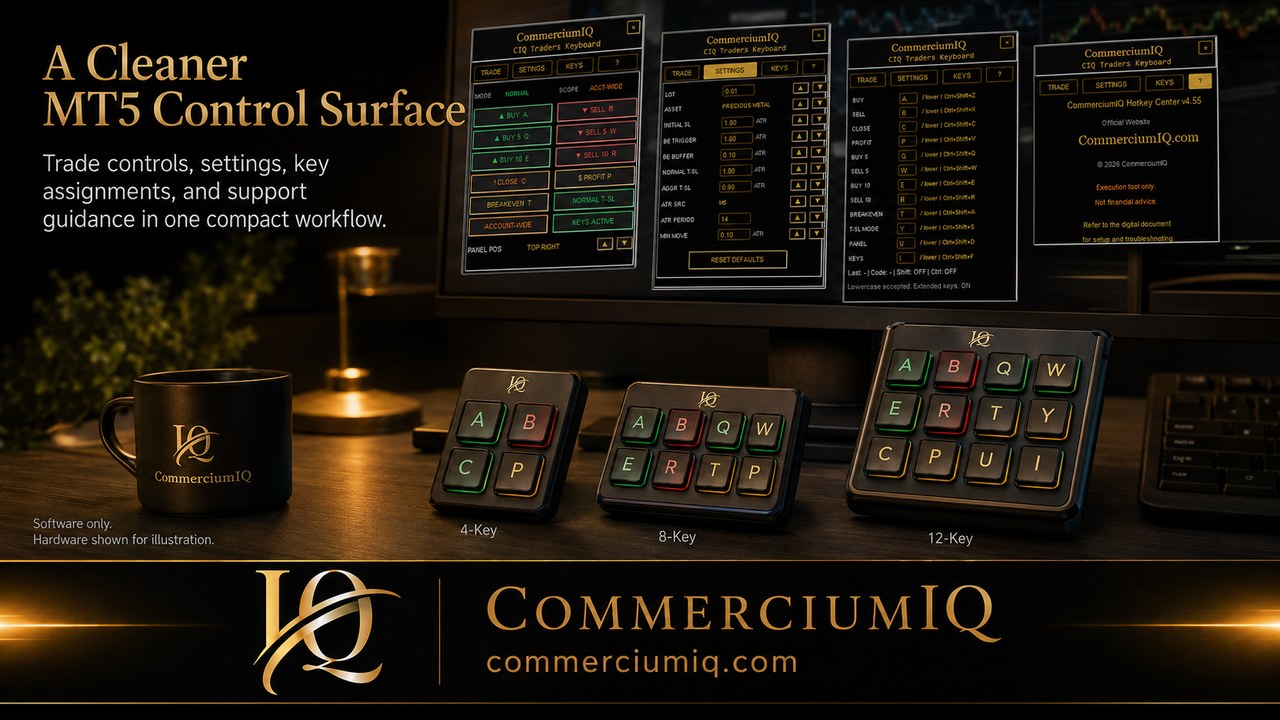
The screenshots below are intentionally large so visitors can read the command labels, settings, and key mappings without guessing.

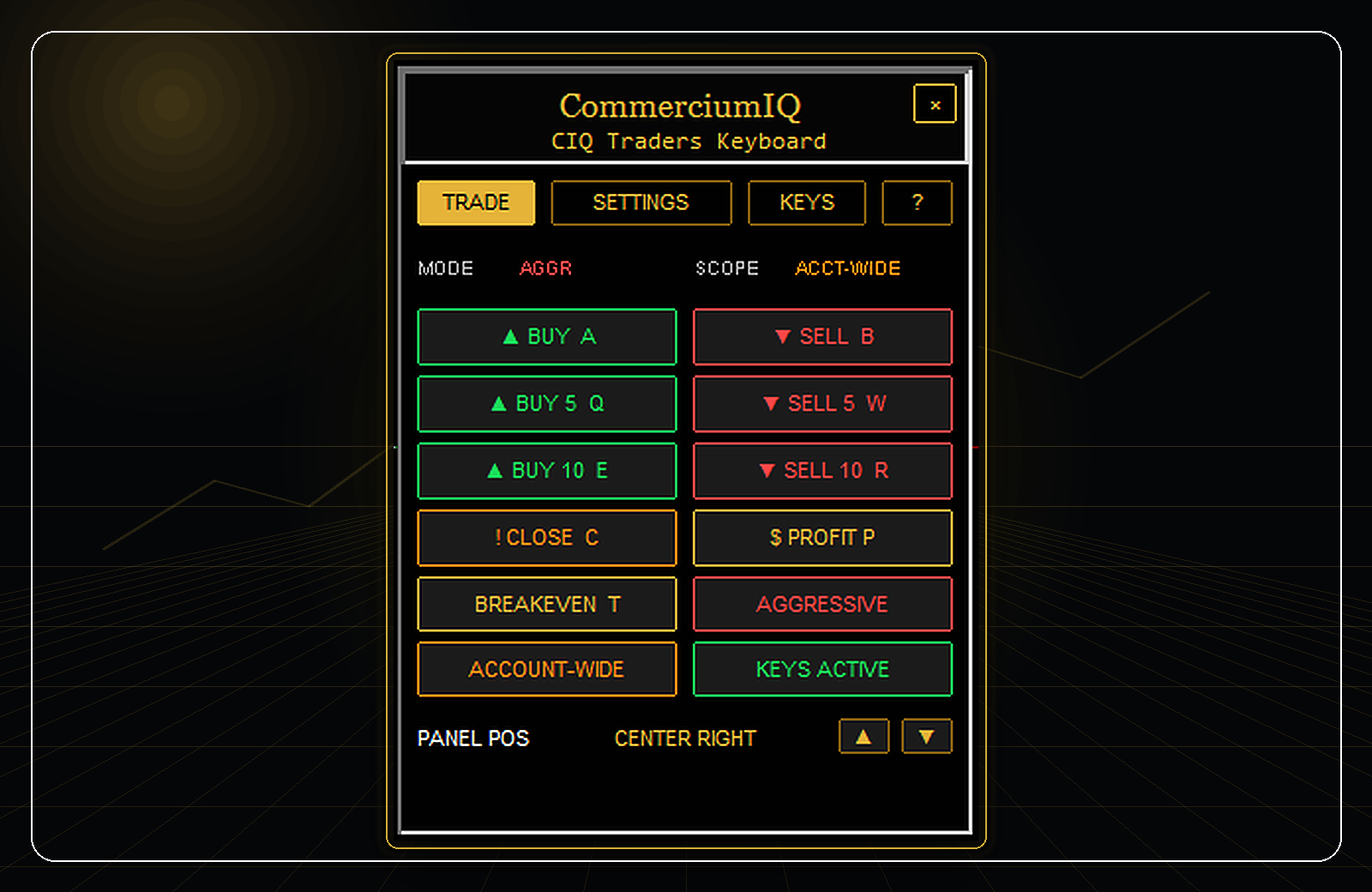
Large readable Trade tab screenshot for CIQ Traders Keyboard
Trade Tab: visible Buy, Sell, Close, Profit, Breakeven, scope, key status, and trailing-stop mode controls.
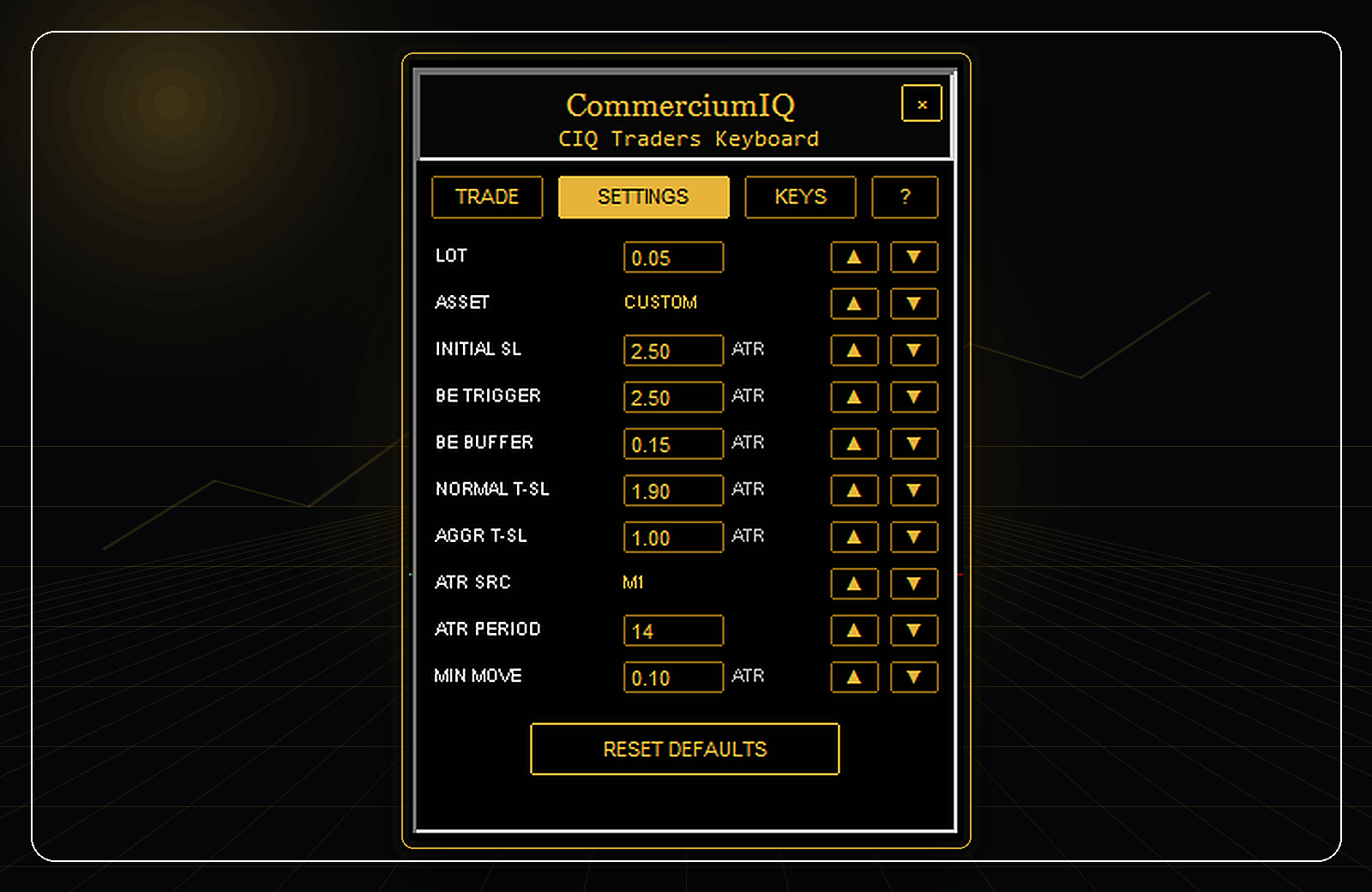
Large readable Settings tab screenshot for CIQ Traders Keyboard
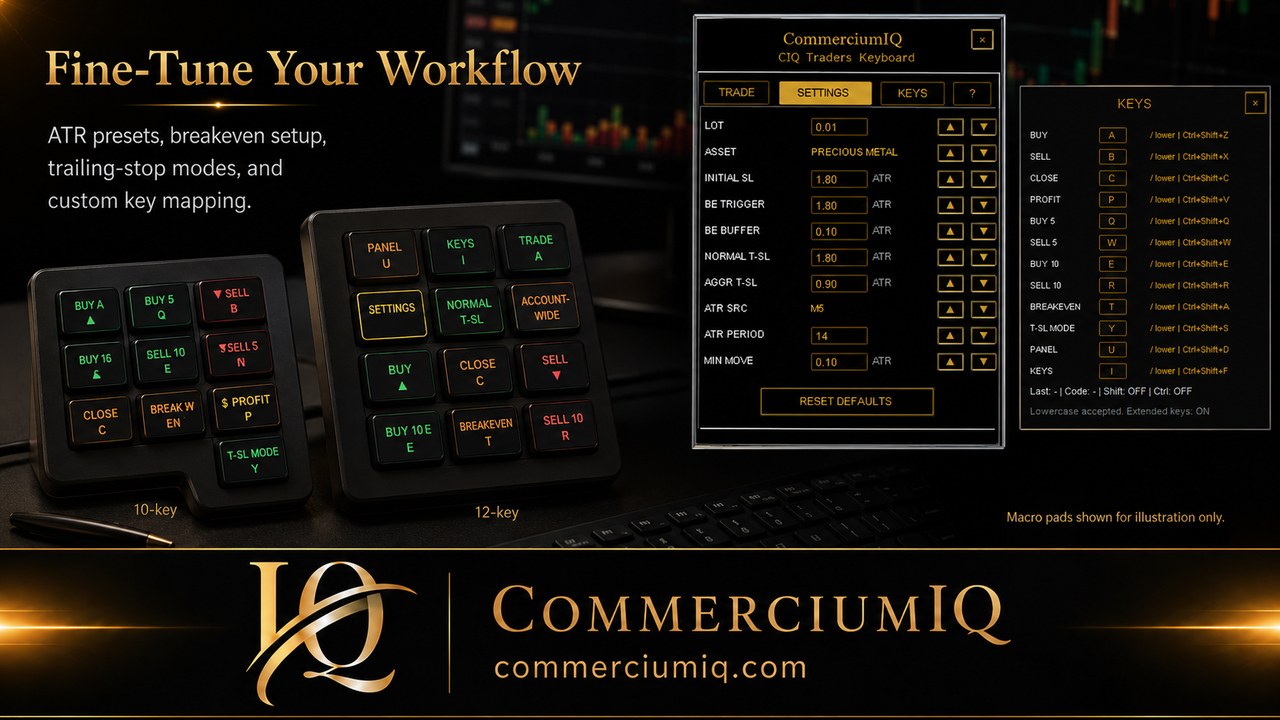
Settings Tab: lot size, asset class, ATR source/period, stop values, breakeven settings, trailing values, and reset defaults.
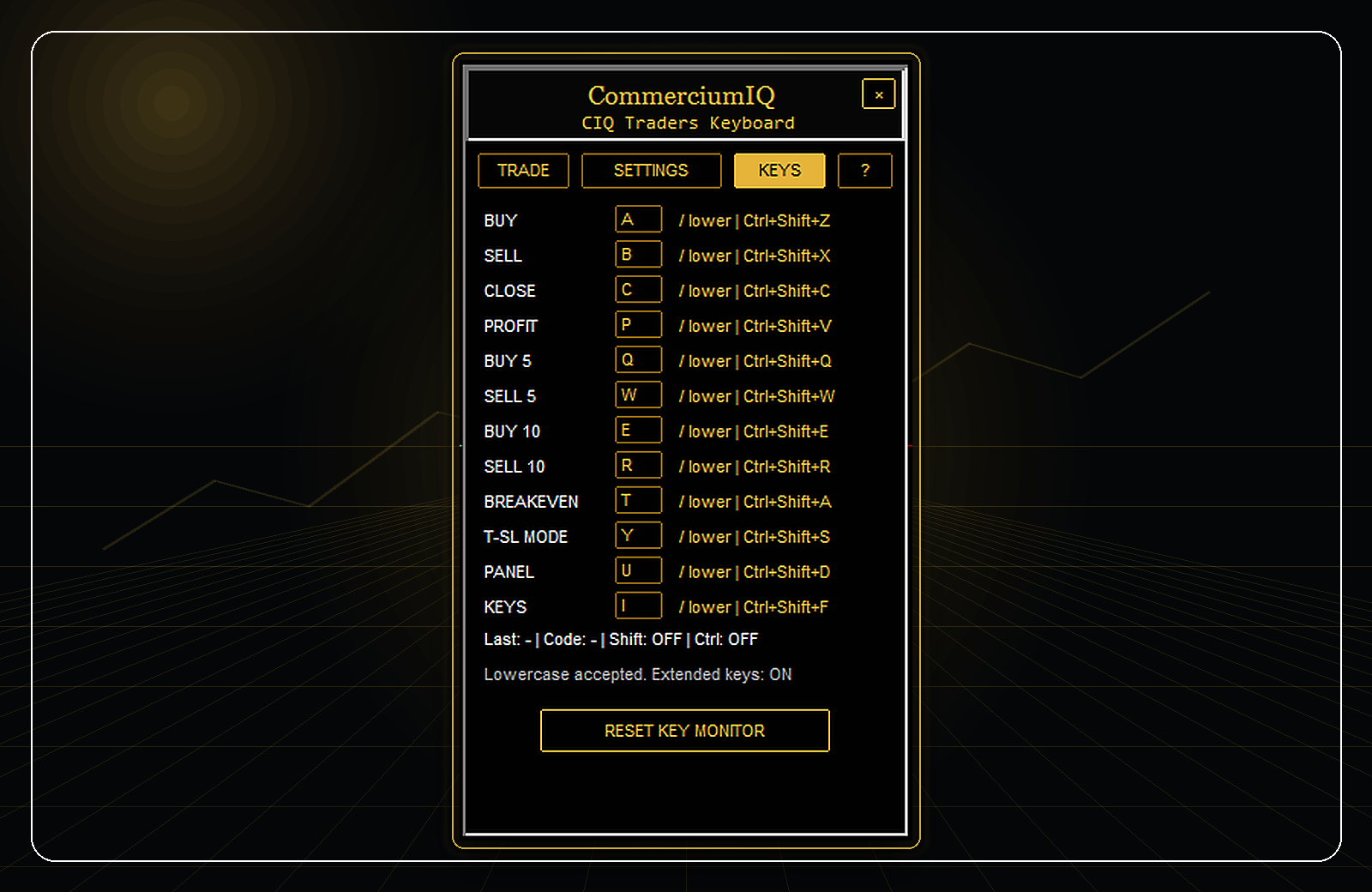
Large readable Keys tab screenshot for CIQ Traders Keyboard
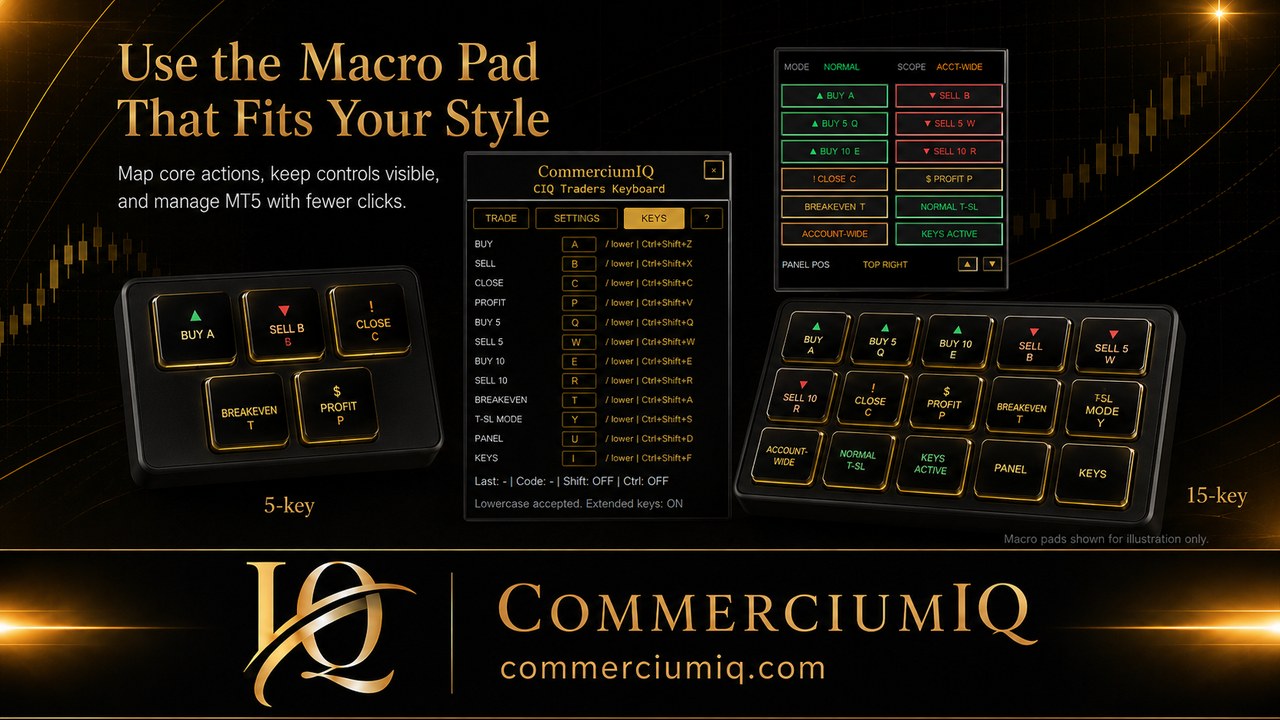
Keys Tab: command mapping for Buy, Sell, Close, Profit, multi-order commands, Breakeven, T-SL mode, Panel, and Keys controls.

Compatible setup ideas

Use your own keyboard or macropad — software is the intelligence layer.

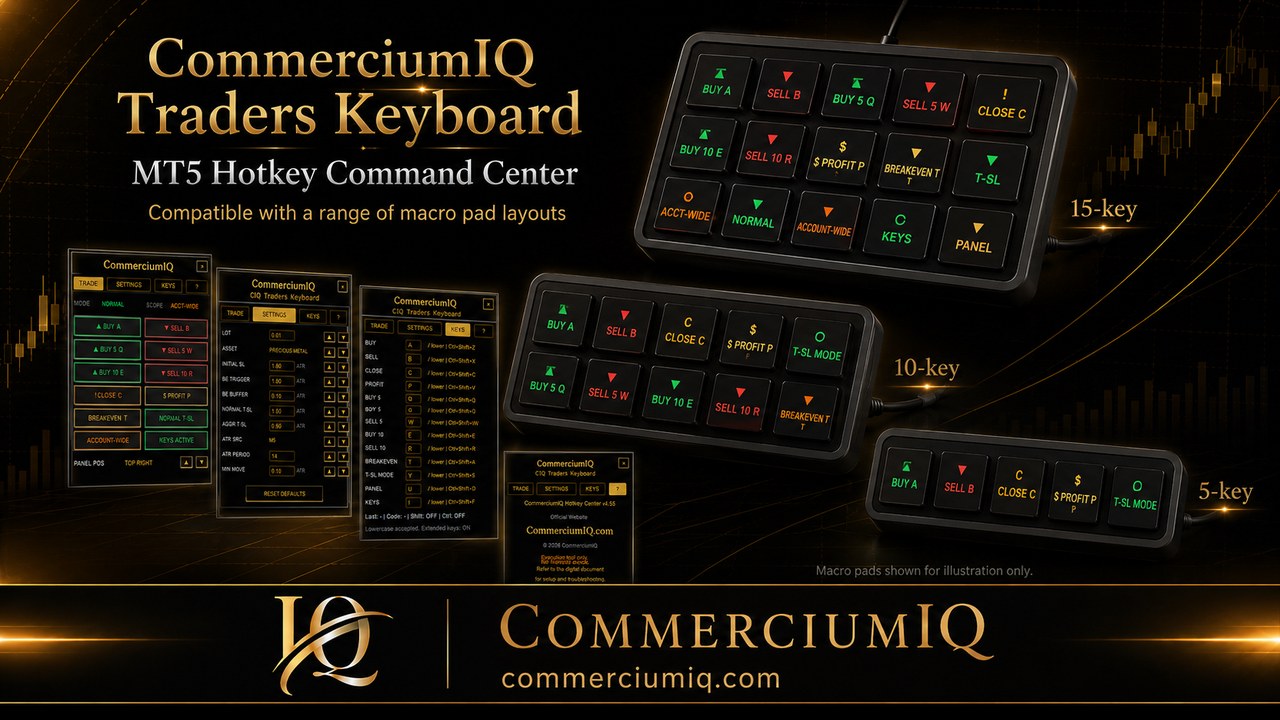
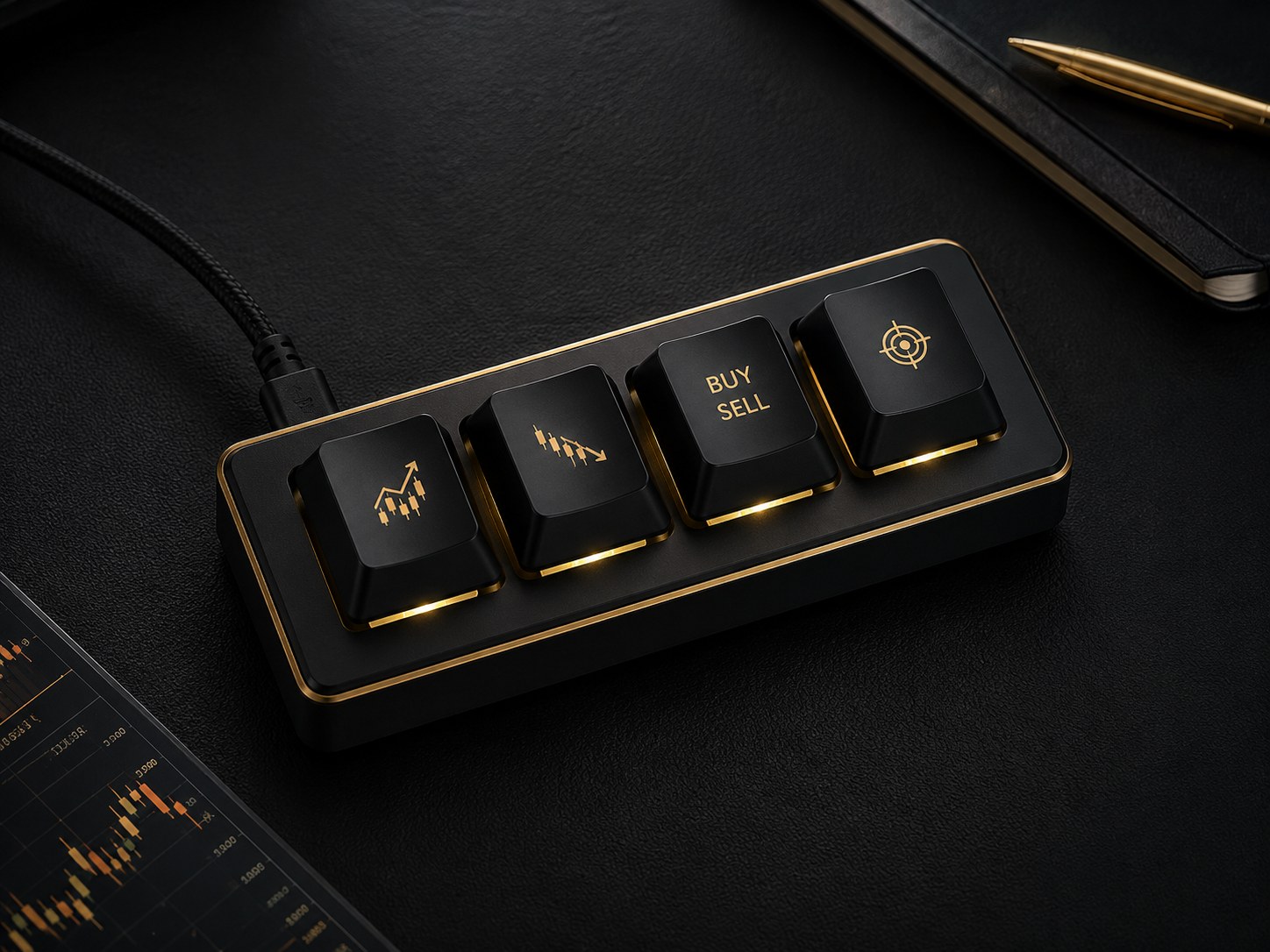
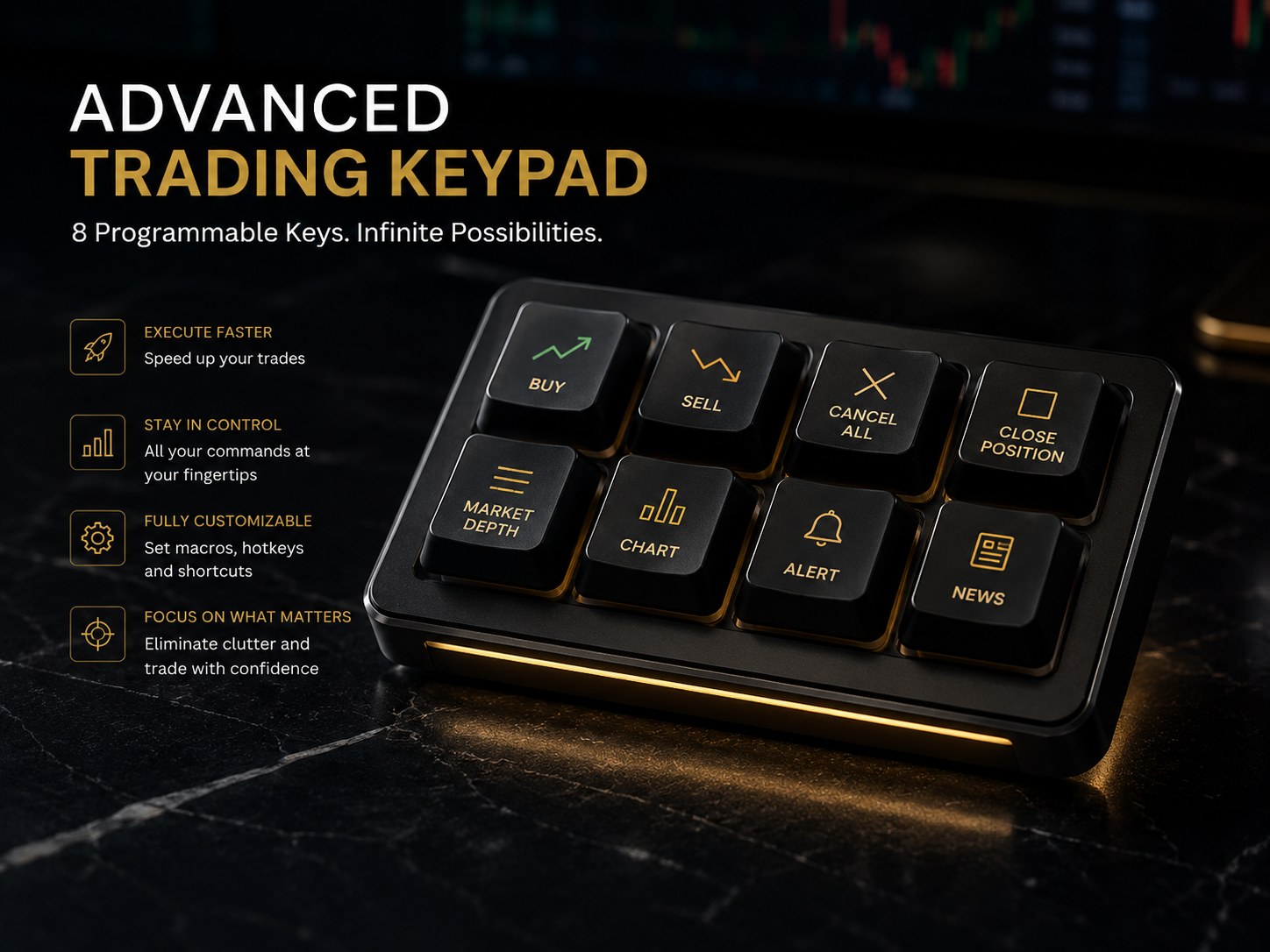
You are not buying hardware here. These product visuals are illustrative examples of the kind of 4-key or 8-key setup many retail traders may pair with the software.

Illustrative compact 4-key trading macropad
Compact 4-key setupGood for primary buy/sell/profit/close workflows.
Illustrative advanced 8-key trading keypad
Advanced 8-key setupGood when you want more direct mapped actions and workflow depth.

Hardware shown for illustration only and is not included with purchase.

Workflow clarity

Visual tools that explain the workflow without fake profit claims.

Execution workflow comparison

Manual mouse workflowMany clicks
Generic macropad onlySome shortcuts
CIQ Traders KeyboardMapped command flow

Illustrative workflow diagram only. It does not represent trading performance.

Trade management layers

EntryInitial SLBE + BufferNormal T-SLAggressive T-SL

Use the panel to standardize how you think about entries, protection, and trailing behavior before live use.

Settings that matter

Understand what changes before you trade live.

SettingLower value usually meansHigher value usually means
Initial SLTighter stop, less breathing roomWider stop, more breathing room
BE TriggerBreakeven logic becomes relevant soonerRequires more favorable movement first
BE BufferSmaller cushion past entryLarger cushion past entry
Normal T-SLFollows price closerGives price more room
Aggressive T-SLVery tight protectionLess aggressive stop movement
Min MoveMore frequent SL updatesFewer, larger updates

ATR-based settings are starting defaults, not performance promises. Always demo test on your broker, symbol, and trading style.

Asset-class presets

Different markets move differently. Defaults should reflect that.

Forex

Often steadier than high-volatility markets. Presets can be tighter but still require demo testing.

Precious Metals

Designed for symbols like gold/metals where wicks and sharp movement may require more breathing room.

Indices

Can move quickly and directionally, especially during major sessions and news windows.

Crypto

Often volatile and noisy. Wider default behavior may reduce premature stop movement.

Stocks

Instrument-specific behavior varies by liquidity, session, spread, and broker feed.

Custom

For users who want to tune their own values after demo testing.

Comparison

More than a generic keyboard shortcut setup.

FeatureNormal KeyboardGeneric Macropad AloneCIQ Traders Keyboard Software
MT5-focused panelNoNoYes
Scope-based close controlsNoUsually noYes
Breakeven + buffer commandNoNoYes
Normal / aggressive trailing modeNoNoYes
Asset-class presetsNoNoYes
Support document includedNoNoYes
Hardware requiredNoYesNo — software only

Product facts

Direct answers for traders comparing MT5 hotkey software.

This section keeps the product clear for customers, search engines, and AI answer systems without changing the visual sales-page design.

QuestionClear answer
Product nameCommerciumIQ Traders Keyboard, also referred to as CIQ Traders Keyboard.
Main categoryMT5 hotkey command center and MetaTrader 5 trade-management workflow software.
Primary useBuy, sell, close, close profitable trades, protect with breakeven, toggle trailing-stop modes, and remap core keys.
PlatformMetaTrader 5 Desktop on Windows.
HardwareNot included. Use your own compatible keyboard or macro pad.
Trading signalsNot included. This tool does not predict markets or provide financial advice.
CheckoutPurchase and digital delivery are handled through Gumroad.
?

What is an MT5 Hotkey Command Center?

It is a structured control layer for common MetaTrader 5 actions, helping the trader keep execution commands visible and consistent.

Can I use a macro pad with MT5?

Yes. CIQ Traders Keyboard is software-only and is designed to work with your own compatible keyboard or programmable macro pad workflow.

Why does scope matter?

Scope helps separate current-symbol management from account-wide actions, reducing confusion before close commands are used.

Founders access

Limited-time Founders launch pricing.

Get the software-only MT5 Hotkey Command Center, technical support document, keyboard mapping guide, and current v4.x access at the Founders Promo price.

  • Precompiled MT5 software package
  • Technical support document
  • Keyboard mapping guide
  • Compatibility and setup notes
  • Current v4.x update access
Founders Promo

Regular price $99.99 USD

$49.99 one-time USD

Available for a limited time. Price may return to regular price at any time.

Get Founders Access

Hardware not included. Software-only license.

Compatibility

Read this before buying.

RequiredMetaTrader 5 Desktop on Windows
RequiredAlgo Trading enabled
RequiredChart focus for hotkeys
Not includedPhysical keyboard/macropad
Not supportedMT5 mobile direct use
Not supportedTradingView direct execution
Read full compatibility notes

FAQ

Common questions before purchase.

No. This is software-only. Keyboard and macropad images are illustrative only.
No. It is an execution and trade-management tool. It does not provide signals or financial advice.
Yes. You can use a compatible programmable macropad or the included laptop backup shortcuts.
The Founders version is designed to be simple and customer-friendly. More advanced licensing may be added to future pro versions.
Read all FAQs

Ready to simplify your MT5 execution workflow?

Founders Promo: $49.99 USD one-time. Regular price: $99.99 USD.

Get Founders Access