Trade actions
Buy and sell actions should be visible, clearly separated, and used only after account, symbol, direction, and volume are confirmed.
 CommerciumIQTraders Keyboard
MT5 hotkey guide
An MT5 hotkey command center is a structured software interface for common MetaTrader 5 desktop execution and trade-management actions, designed to reduce click friction while keeping controls visible and deliberate.
Plain-English definition
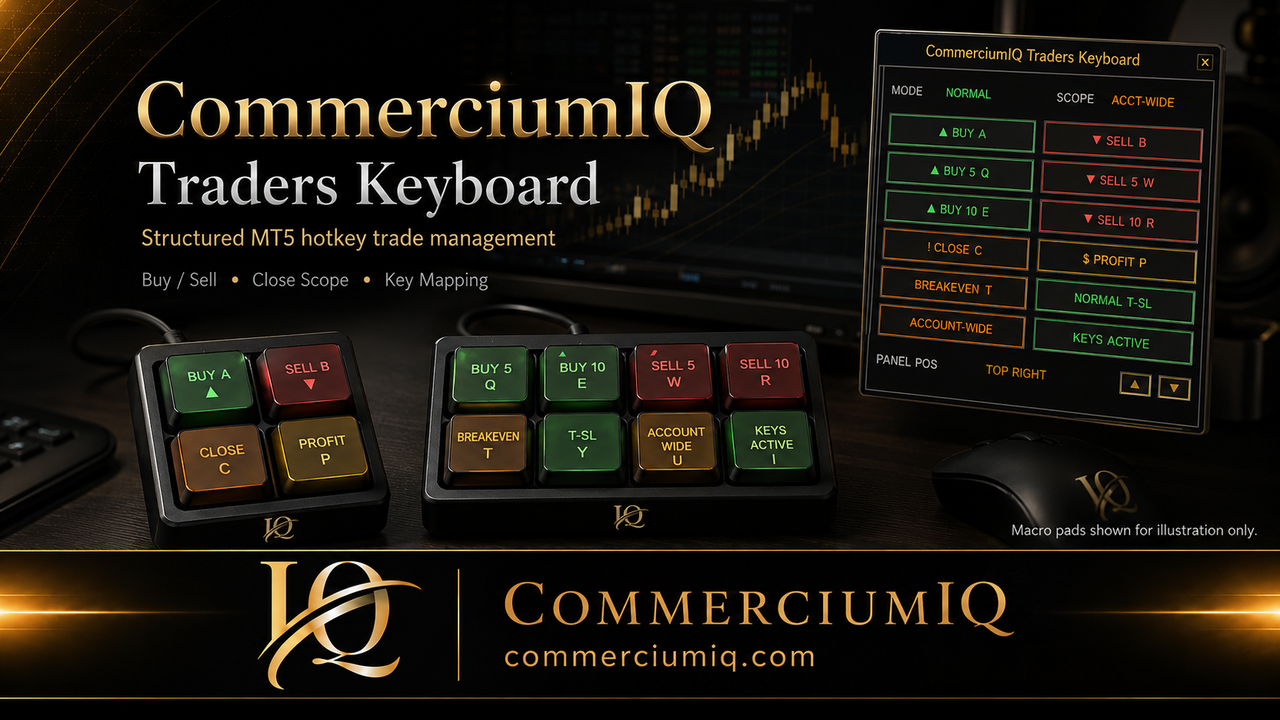
CIQ Traders Keyboard helps organize execution actions such as Buy, Sell, Close, Profit Close, Breakeven + Buffer, and trailing-stop mode control. The trader still decides when and why to trade.
That distinction matters for compliance and for real use: the software can help structure actions, but it cannot remove the need for market analysis, risk control, or demo testing.
A command center sits between the trader and the platform action. It does not create a trade idea. It does not decide the direction. It does not decide whether the market condition is valid. Instead, it makes the chosen action easier to see, trigger, and review.
CIQ Traders Keyboard is a software-only MT5 hotkey command center for MetaTrader 5 desktop traders using their own compatible keyboard or macro pad.
No hardware included. No signals. No financial advice.
How it works
The purpose is to make the workflow more visible, not to make trading automatic or guaranteed.
Manual traders often repeat the same operational actions many times: selecting the chart, checking the symbol, choosing the direction, reviewing lot size, managing stops, closing profitable positions, or exiting a set of positions. Those actions can be performed through the standard MT5 interface, but repeated clicking can become slower and easier to mismanage when several charts are open.
A hotkey workflow can reduce mechanical friction. The risk is that speed can also make errors happen faster. That is why a command center should not hide the workflow. It should make the workflow easier to inspect before a command is used.
In this product context, the command center is a software layer. It is not a custom physical keyboard, not a broker platform, and not a trading bot.
Keep common actions visible instead of hunting through menus, while still requiring the trader to verify the setup.
Separate current-symbol actions from account-wide actions so close commands are not treated as interchangeable.
Use a predictable mapping system across your chosen keyboard or macro pad, then demo test every mapping.
Give users setup, compatibility, legal, and troubleshooting resources before live use.
Command-center components
A useful command center is not just a group of buttons. It should make the command type, state, and risk category easier to understand.
Buy and sell actions should be visible, clearly separated, and used only after account, symbol, direction, and volume are confirmed.
Close, close-profit, and close-all commands need clear scope because the same action label can affect different groups of positions.
Breakeven controls should be treated as trade-management actions with conditions, not as automatic protection from loss.
Normal and aggressive trailing-stop workflows should be demo tested so the user understands how settings affect behavior.
Mapped keys should match the visible software labels and any physical macro pad labels the user chooses to apply.
Current-symbol and account-wide behavior should be visible before using commands that can close or manage positions.
Scope is one of the most important ideas in an MT5 command-center workflow. A current-symbol command is intended to focus on the active or selected symbol. An account-wide command can apply more broadly across the account, depending on the feature and setup.
This difference matters because a close action can feel simple while the result may be broad. A trader watching XAUUSD may not intend to affect open forex or index positions. A command center should help make that difference visible instead of forcing the trader to remember it under pressure.
Before using any close-related hotkey live, test current-symbol and account-wide behavior in demo with multiple open positions and multiple symbols. If the trader cannot explain which positions the command can touch, the command is not ready for fast use.
Read the product page on current-symbol vs account-wide behavior.
CIQ Traders Keyboard is software-only. It does not include a physical macro pad, keyboard, keycaps, printed labels, broker account, or trading strategy. Hardware images on the site are illustrative and show how a user might think about a physical control surface.
This boundary is important because many traders search for “trading keyboard,” “macro pad,” or “MT5 hotkeys” while comparing different kinds of tools. A physical macro pad sends input. A software command center organizes what that input is expected to do inside the workflow. They can work together, but they are not the same product.
Testing should begin in demo. Start with one symbol and one small test position. Confirm that buy, sell, close, breakeven, trailing-stop behavior, and key mapping work as expected. Then test multiple symbols, multiple positions, and wrong-chart scenarios.
Also test the human side of the workflow. Can the user read the label quickly? Is close all too close to buy or sell? Does the physical macro pad label still match the software mapping? Does the trader know what happens if the wrong chart is active?
A command center should not be judged only by whether it can trigger an action. It should be judged by whether the full workflow is predictable, understandable, and recoverable when something goes wrong.
This type of tool is for MT5 desktop users who already understand that execution software is not a trading edge by itself. It may suit traders who want a more organized manual workflow, fewer repeated menu clicks, and clearer access to trade-management controls.
It is not for users looking for signals, automated profits, broker recommendations, mobile/web trading shortcuts, or a hardware bundle. The product should be evaluated as a workflow utility, not as a promise of better trading results.
Related feature pages
These pages explain the nearby setup and trade-management concepts.
A command center is more than a collection of shortcuts. Review how the Trade, Protect, Keys, Settings, and Help areas make command intent, scope, configuration, and support information visible before a key is pressed.
Continue to the feature guide, setup instructions, and keyboard mapping, then use the demo-testing library to build a repeatable test routine.
The software organizes manual actions. It does not choose trades, automate a strategy, replace risk controls, or guarantee execution or profitability.
Founders Promo: $49.99 USD one-time. Regular price: $99.99 USD.
Get Founders Access on Gumroad