
Key point
MT5 tool choices should be compared by the workflow problem they solve. A shortcut, macro pad, script, Expert Advisor, and command center may all sound like execution tools, but they place different responsibilities on the trader.
CIQ should use comparison pages to separate manual workflow support from automation, hardware accessories, and custom code. That distinction protects buyers from choosing a tool that does not match their skill level or platform need.
Why this comparison library exists
A trader searching for MT5 tools may use many overlapping phrases: trading keyboard, hotkey software, macro pad, Stream Deck, script, Expert Advisor, or one-click trading utility. Those phrases do not mean the same thing, and a search result that treats them as identical can mislead the buyer.
This page works as the comparison library entrance. Its job is to explain the major categories first, then route the reader to the more specific comparison that matches their real question.
That structure is useful because it answers broad comparison questions while keeping each product claim narrow and supportable.
Manual workflow tools
Manual workflow tools help the trader reach actions they have already chosen. The trader still confirms the account, symbol, lot size, command, and result. The software does not decide whether a trade setup is valid.
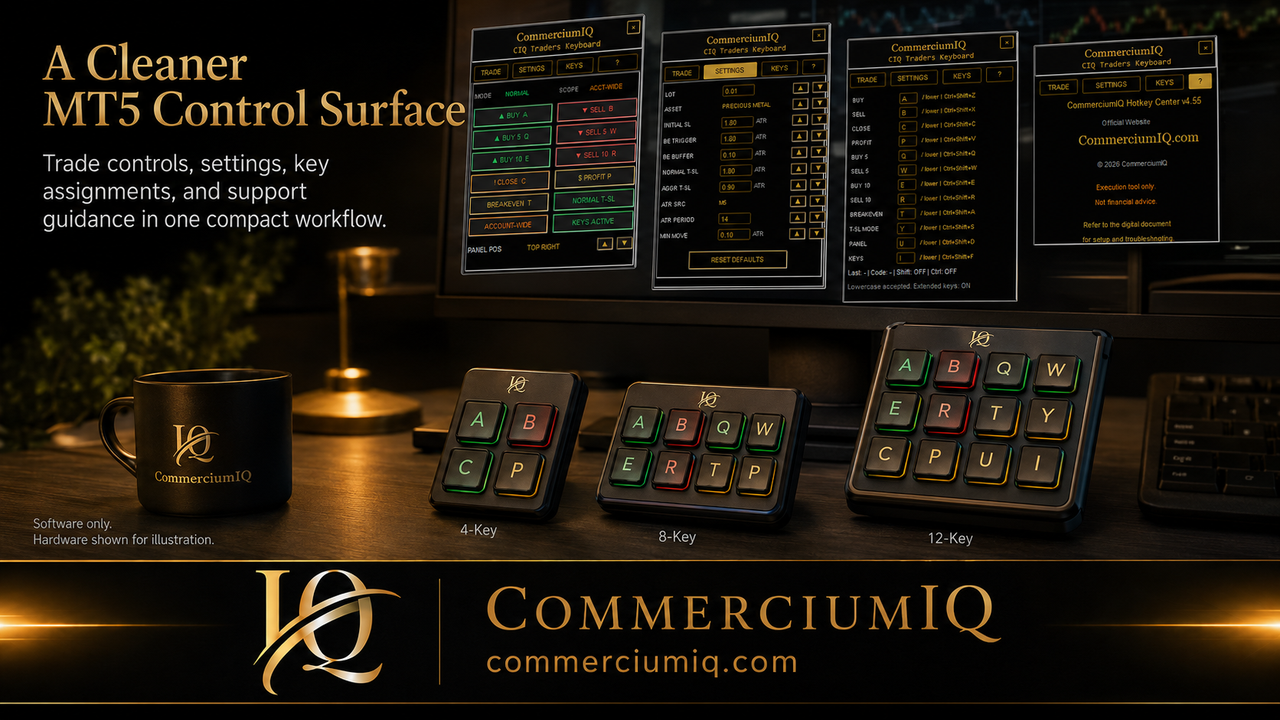
Trading keyboard software and a command-center interface belong in this manual workflow category. They can make actions easier to see and repeat, but the user's judgment remains the control layer.
This is the category CIQ Traders Keyboard should own: clearer manual command access for supported MT5 Desktop workflows.
Physical input devices
Macro pads, programmable keyboards, and Stream Deck-style devices are physical input layers. They can make a workflow easier to trigger, but they do not understand MT5 account state or command scope by themselves.
A device can be useful when the physical labels, software command names, and setup sheet all match. It can also become risky when profiles, layers, or unlabeled keys create uncertainty.
The comparison should therefore treat hardware as an input option, not as the whole product.
Scripts and coded utilities
Scripts are coded actions. They may perform a specific task inside MT5, but the user must trust the code and test the behavior under the exact account, symbol, and position conditions they expect to use.
A copied script can look simple while still creating uncertainty if the user does not understand what it changes, what it ignores, or what happens during platform errors.
Scripts can be the right fit for technical users, but they are not the same as visible manual workflow software.
Expert Advisors and automation
Expert Advisors can monitor rules and potentially act automatically depending on how they are designed. That makes them a separate category from hotkey software or a trading keyboard interface.
An EA may require parameter review, backtesting, forward testing, runtime monitoring, and a different kind of support. A manual trader who only wants cleaner order-management access may not need that level of automation.
CIQ content should consistently separate Expert Advisors from manual command-center software so buyers do not expect robot-style behavior.
Command scope is the comparison anchor
The most important comparison question is not which tool is fastest. It is which tool makes command scope easiest to understand. Current-symbol commands, account-wide commands, close-profit behavior, partial close, and close-all behavior affect positions differently.
A good tool category explanation helps the reader ask better questions before buying: what can this action touch, what does it ignore, and where do I verify the result?
This command-scope framing is where CIQ can be more practical than broad platform documentation.
Compare by setup burden
Every tool category has setup burden. Manual platform controls require learning MT5. Physical devices require profiles and labels. Scripts require code trust. Expert Advisors require rule testing. Command-center software requires installation, mapping, and demo validation.
The best tool is not the one with the most features. It is the one the buyer can install, test, support, and understand without guessing.
A buyer checklist should include not only the purchase price but the time needed to configure and maintain the workflow.
Compare by user-error exposure
User error changes form depending on the tool. With physical keys, the user may press the wrong button. With software commands, the user may misunderstand scope. With scripts, the code may do something the user did not expect. With EAs, automation may continue acting after the user stops watching.
The comparison library should make those risks visible without making the product sound frightening. The goal is informed setup, not fear.
A reader who understands the likely error mode is better prepared to test the tool responsibly.
Compare by support path
Support is easier when the command has a name, the environment is defined, and the user can describe the expected result. Support is harder when the issue is hidden inside a private device profile or an undocumented script.
This is one reason a visible command center can be easier to support than a loose collection of shortcuts. The software interface gives both the user and support team the same reference language.
Supportability should be treated as a product feature, especially for non-technical traders.
Which comparison pages should exist
The comparison cluster should include dedicated pages for hotkey software versus scripts, trading keyboard software versus Expert Advisors, physical trading keyboards versus software command centers, macro pads versus command centers, and buyer checklists for MT5 execution tools.
Each page should answer one comparison clearly rather than repeating the same generic safety paragraphs. This reduces repetition and makes the site more useful to visitors.
The library page should route the reader to those deeper pages instead of trying to answer every comparison in one place.
How this supports the future Platforms menu
When the site adds a Platforms menu, this comparison library can sit under the MT5 platform cluster. The broad platform page can explain the supported environment, while comparison pages help users decide which tool category fits their workflow.
Future platform pages for MT4, cTrader, NinjaTrader, TradingView, Sierra Chart, or Tradovate should use similar comparison logic but must not imply support until a real product exists.
That structure lets CIQ grow into a platform workflow brand without overclaiming current capabilities.
Final comparison-library rule
A strong comparison page should help the buyer eliminate wrong-fit tools before it sells anything. If the user wants manual MT5 workflow support, guide them toward manual command software. If they want automation, explain why an Expert Advisor is a different category.
That honest sorting process builds trust and creates clearer coverage of practical buyer questions.
The comparison library wins when it makes the buyer's next step obvious and safer.