
Key point
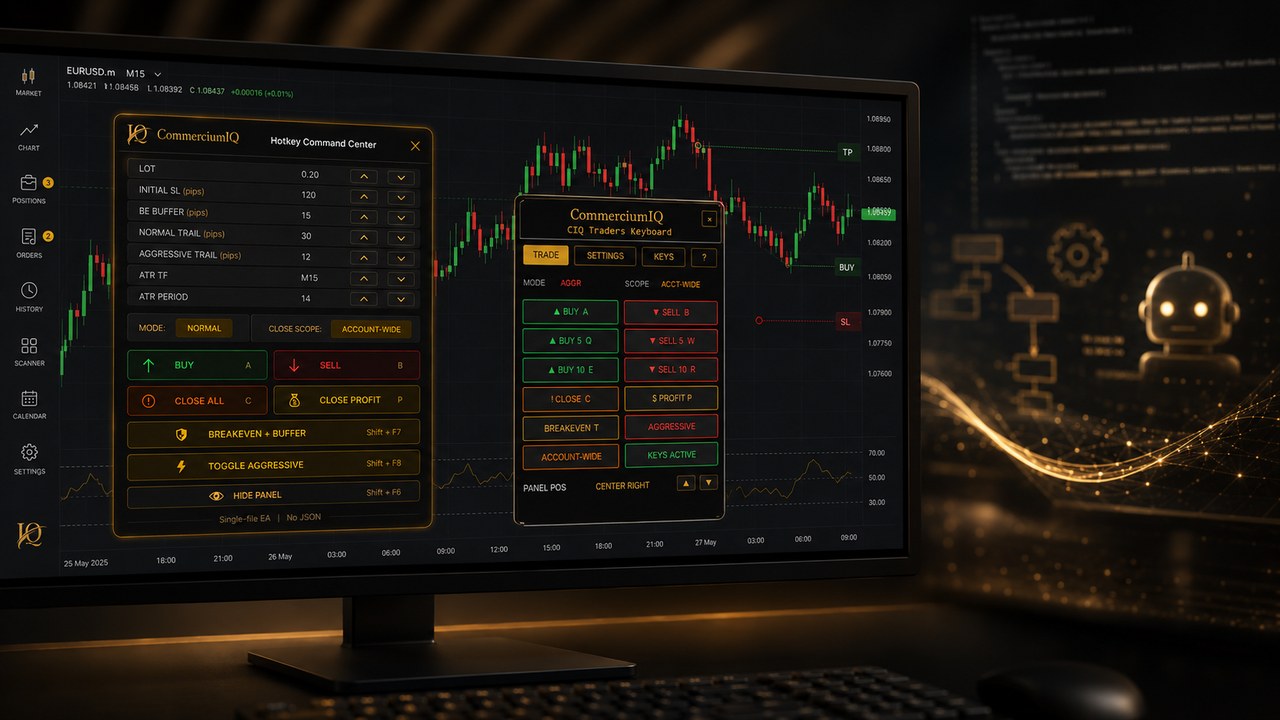
Trading keyboard software and Expert Advisors are different categories. A keyboard workflow tool supports manual command access, while an Expert Advisor can automate logic or actions depending on how it is built.
Confusing the two creates wrong buyer expectations and unsafe setup assumptions.
What trading keyboard software is
Trading keyboard software gives a manual trader a more organized way to access commands. It can group actions, label scope, and reduce repeated platform clicks.
The user still decides when to act. The software should not decide trade direction, entry timing, or strategy rules.
This makes it a workflow tool rather than an automated trading system.
What Expert Advisors are
Expert Advisors can run coded rules inside MT5. Depending on the design, an EA may scan conditions, place orders, manage positions, close trades, or perform account actions.
Some EAs are simple utilities, while others are full automated strategies. The user must understand what the specific EA does.
The category is broad, which is why comparison pages need careful wording.
Manual control versus automated behavior
With manual workflow software, the trader is expected to press the command intentionally. With an EA, actions may occur when code conditions are met.
That difference affects monitoring. A trader using an EA may need to watch whether the algorithm is running correctly, while a trader using hotkey software must verify each manual command.
Both require responsibility, but the responsibilities are not the same.
Why some traders prefer manual workflow support
Some traders do not want a robot making decisions. They want faster access to actions they already understand.
A manual command center can fit that preference because it keeps decision-making in the user's hands.
This is especially important for users who want to avoid strategy automation but still want a cleaner MT5 operating process.
Why some traders prefer EAs
Other traders may want rule-based automation, backtesting, or hands-off execution under defined conditions. For those users, an EA may be more appropriate than a keyboard workflow tool.
That does not make one category universally better. It means the buyer must know which problem they are trying to solve.
A workflow tool should not pretend to be an EA, and an EA should not be treated like a simple shortcut.
Testing differences
A keyboard workflow test verifies that the mapped command produces the expected MT5 result. An EA test may need to verify logic, inputs, market conditions, error handling, and automated behavior over time.
Both tests should begin in demo, but the scope of testing is different.
The more autonomy a tool has, the more carefully it should be tested and monitored.
Prop-firm and rule considerations
Some traders using evaluation-style accounts may face rules around automated strategies, copy trading, or prohibited behavior. They must read their own account rules before using any tool.
A manual workflow product is not a signal service or automatic strategy. The user remains responsible for verifying whether any tool fits their rules.
The website should avoid implying approval for any specific firm or account type.
Support expectations
Support for a keyboard workflow product should focus on setup, compatibility, mapping, scope, and demo testing. EA support may involve code logic, inputs, market conditions, and platform runtime behavior.
Those are different support categories. Mixing them can create confusion.
A clear comparison page helps customers ask the right questions before purchasing.
Marketing language to avoid
A manual workflow product should avoid words that imply automatic trading, assured execution outcomes, win-rate improvement, or account-passing claims.
The safest wording is manual MT5 workflow support, software-only command center, demo-tested setup, and clear command scope.
This language is accurate and more durable for a trust-focused brand.
Best fit summary
Trading keyboard software may fit manual traders who want a cleaner command process. Expert Advisors may fit users who want coded automation and understand the testing burden.
The buyer should choose based on the problem they actually have: platform friction or strategy automation.
Both choices require demo testing, but they should not be presented as the same thing.
How to identify the user's real goal
A trader comparing keyboard software with Expert Advisors should first identify whether they want cleaner manual execution or automated trading logic. These are different goals.
If the user wants to press commands manually with better organization, keyboard software is closer to the problem. If the user wants coded rules to act under conditions, an EA is closer.
The comparison becomes clearer once the goal is separated from the tool name.
Monitoring differences
Manual workflow software requires the user to monitor each action they choose to send. Expert Advisors may require broader monitoring of logic, inputs, market state, and platform connection.
An EA can create risk if the user assumes it is running correctly without review. A hotkey workflow can create risk if the user presses a command without checking context.
Both tools require attention, but the attention is applied differently.
Testing environment differences
A hotkey workflow test is usually built around expected command results. The user checks whether buy, sell, breakeven, and close commands behave as labeled.
An EA test may require more scenario coverage because automated logic can behave differently across market conditions.
This difference should influence buying expectations and support expectations.
Why clear product boundaries matter
CIQ Traders Keyboard is manual workflow software. It does not provide automatic strategy behavior or performance improvements.
The comparison with EAs is useful because it tells the user what the product intentionally does not try to be.
Clear boundaries reduce refunds, support confusion, and compliance risk.
Decision summary
A user who wants manual command organization should evaluate trading keyboard software. A user who wants rule-based automation should research EAs and understand the additional testing burden.
A user who wants guaranteed trading outcomes should not treat either category as a shortcut.
The safer decision comes from matching the tool to the workflow problem.
How to avoid buying the wrong category
A buyer can avoid the wrong category by writing down the desired outcome before comparing products. If the desired outcome is a cleaner manual command workflow, trading keyboard software is the closer category.
If the desired outcome is rule-based entry, automatic management, or strategy automation, then an Expert Advisor category may be more relevant and should be researched separately.
This pre-purchase distinction prevents the user from expecting a manual workflow tool to behave like a robot or expecting an EA to feel like a simple button layout.
Why the distinction should be repeated on the site
The manual-versus-automation distinction should appear consistently across comparison pages, product pages, setup instructions, legal disclaimers, and support answers.
Buyers may begin on different pages, so the software-only and manual-workflow boundaries should remain consistent throughout the site.
This protects expectations: CIQ Traders Keyboard supports manual command organization, while trading decisions, account rules, and risk remain the user's responsibility.