
Key point
Trade management is the part of the workflow where a trader changes existing exposure. That makes it different from chart reading, signal selection, or market prediction. The most important question is not how fast the action can be triggered, but whether the user understands what will change after the command runs.
CIQ Traders Keyboard supports trade-management workflow organization. You still decide whether an action is appropriate, verify the active MT5 environment, and review the result.
What trade management includes
Trade management includes actions such as reviewing open positions, closing one position, closing several positions, moving a stop loss, moving to breakeven, using a trailing stop, and deciding whether an action should apply to the current symbol or a broader account scope.
These actions can feel routine after a trader has used MT5 for a while, but they are not low-impact. A small misunderstanding can change position exposure, stop placement, or account risk.
A strong workflow gives each command a specific name and a specific test scenario.
Separate analysis from execution control
A trade-management tool should not be confused with trade analysis. Analysis asks whether a market idea is valid. Execution control asks whether the platform action matches the user's intention.
This distinction keeps the content honest. Faster access to a close command does not make a trade idea better, and a cleaner breakeven command does not remove market risk.
CIQ Traders Keyboard is manual workflow support, not a strategy engine, signal service, or market-analysis tool.
Why command scope matters
Scope is the boundary of a command. A current-symbol action is different from an account-wide action. A close-profit action is different from close-all. A breakeven command is different from a trailing-stop behavior.
Scope should be written into labels, setup notes, and support pages. If the user cannot explain what the command can touch, the command should not be placed on a fast key.
This is one of the strongest practical buyer questions because many traders look for individual command names without understanding scope differences.
Build a position-review habit
Before a trade-management command is used, the user should review the position list. The chart can be helpful, but the position list shows symbol, size, price, stop, take profit, and current status.
The review should confirm the active account, the active symbol, and whether more than one position could be affected.
This small habit reduces the chance that a trader presses a correct command in the wrong context.
Close commands need extra clarity
Close commands are among the most sensitive trade-management actions because they can remove exposure immediately. A close-all command is not the same as close-profit, close-current-symbol, or partial close.
The user should not rely on a short label such as close if the workflow includes multiple close behaviors. The label must describe the scope clearly enough to prevent hesitation.
Close commands deserve more spacing, clearer labeling, and more demo testing than ordinary panel or navigation commands.
Breakeven is a protection action, not a guarantee
A breakeven command may move a stop to an entry-related level, but that does not guarantee a harmless outcome. Spread, commission, swap, broker minimum-stop distance, and fast movement can still affect the result.
The user should know what buffer is used, what position types are eligible, and whether the command applies only to the current symbol.
A breakeven command should be tested with simple demo positions before it becomes part of a repeated routine.
Trailing stops should be understood before mapped
Trailing logic can be useful, but it can also confuse users who do not understand when the stop starts moving and how far behind price it should remain.
Before a trailing command is mapped to a physical key or shortcut, the user should understand the activation level, distance, step behavior, and the condition that stops or changes the trail.
The command should be described in plain language rather than hidden behind a vague label.
Physical controls increase the need for a map
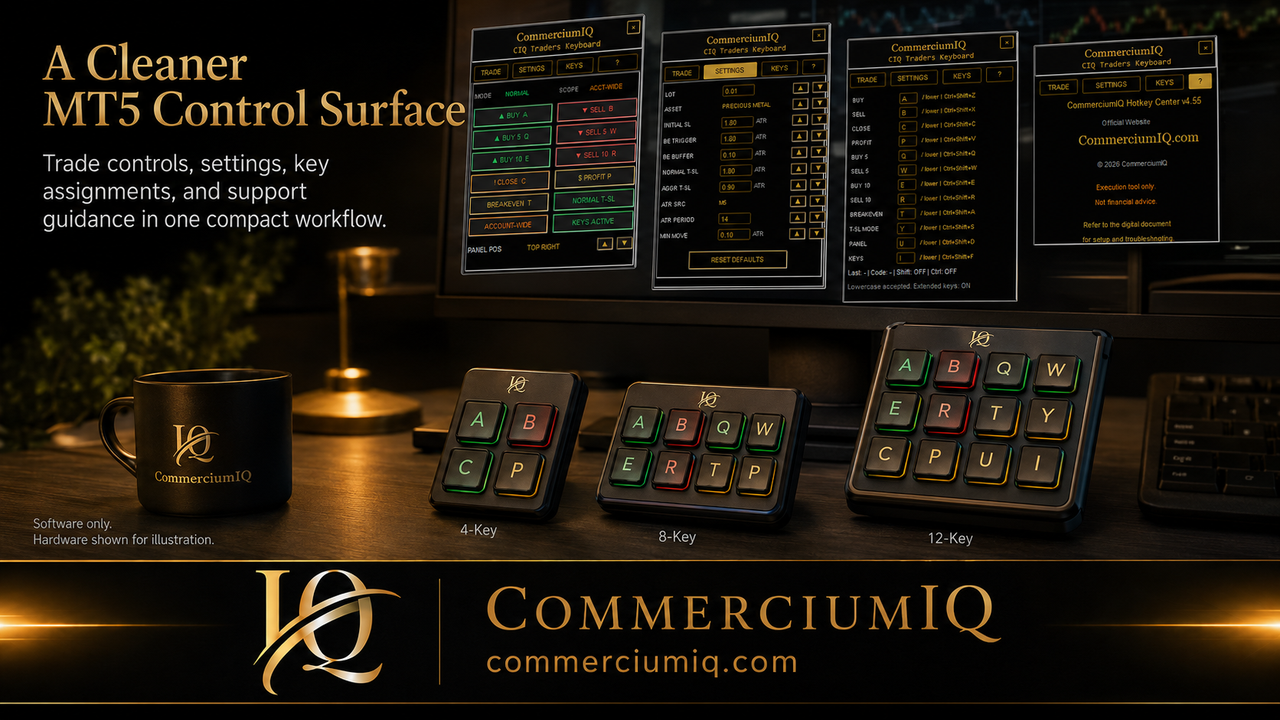
A macro pad or keyboard can make trade-management actions easier to reach. It can also increase error risk if high-impact commands are placed too close together or labeled with abbreviations the user forgets under pressure.
A physical layout should be treated as an extension of the software workflow. The physical label, software command, setup guide, and demo-test record should all use the same wording.
The user should leave unclear keys unmapped rather than filling every button.
Supportable workflows leave evidence
A supportable workflow creates a record. The record should include the product version, MT5 terminal, broker symbol, command name, physical key if used, expected result, and actual result in demo.
This does not need to be complex. A short setup note can prevent later confusion and make troubleshooting easier.
The goal is to avoid relying on memory when a command changes exposure.
Choose the command family you need
Continue to the detailed guides for close commands, current-symbol and account-wide scope, breakeven stops, or trailing stops.
Use the general concepts here to identify the command family, then use the detail page to review its scope, setup, test case, and expected MT5 result.
This keeps each high-impact command focused and easier to test.
Final trade-management rule
A trade-management workflow is ready only when the trader can name the command, define the scope, test the action in demo, and verify the result in MT5.
If any part of that chain is unclear, the command should stay out of fast access.
That rule keeps the product useful, honest, and aligned with manual trader safety.
A simple trade-management decision chain
A practical trade-management decision chain starts with the position list, not the keyboard. The user first confirms the account, symbol, open exposure, stop placement, and command scope. Only after that check does the user decide whether a close, protection, or adjustment command is appropriate.
This chain helps separate an intentional workflow from a reaction. A trader who can describe the current position state before pressing a command is less likely to use a fast control as a substitute for thinking.
The chain can be short, but it should be repeatable: review the position, name the command, confirm the scope, press once, and verify the result.
What trade-management software can and cannot do
Clearer commands can reduce operational friction when you already understand the workflow, but faster controls do not solve trade-selection or market-risk problems.
CIQ Traders Keyboard does not promise better trades, entries, or exits. It helps organize a cleaner manual process around supported MT5 commands.
Review the demo-testing guides, compatibility requirements, setup guide, and risk disclaimer before live use.