
Key point
Gold and XAUUSD workflows need extra care because price movement, spread behavior, and broker symbol naming can differ from standard forex pairs.
A hotkey workflow should be tested on the exact broker symbol and account type before it is trusted for faster manual execution.
Why gold needs a separate workflow
Gold can move differently from major forex pairs. Its price increments, spread behavior, session characteristics, and volatility can make mistakes more expensive or more confusing.
A workflow that feels acceptable on a small forex pair may not feel appropriate on XAUUSD. The user should treat gold as its own workflow category.
Gold workflows should account for XAUUSD-specific behavior rather than reuse generic forex assumptions.
Confirm the broker symbol
Brokers may display gold as XAUUSD, XAUUSDm, GOLD, or another broker-specific symbol. A hotkey workflow must be tested against the exact symbol used in the user's MT5 terminal.
A wrong-symbol assumption can break the user's confidence in the command and create dangerous ambiguity.
The setup record should include the broker symbol exactly as it appears.
Review lot-size assumptions
Gold lot sizing may not feel the same as a forex pair. The trader should know the broker's contract behavior and verify the volume before using fast commands.
A mapped entry command should not be used if the user cannot confirm the intended size.
When in doubt, the user should test with the smallest appropriate demo volume and verify the platform result.
Spread and session considerations
Gold spreads and movement can vary by session, rollover, news, and market conditions. Faster access cannot fix poor timing or unsuitable liquidity.
A hotkey workflow should include a spread and session check before entry commands are used.
Faster execution does not create a market edge by itself.
Volatility and emotional pressure
Gold can move quickly, which can encourage rushed actions. A command center should not become a way to react emotionally to fast candles.
The user should define when a command is allowed and when the correct action is to wait.
A workflow is safer when it creates structure around speed rather than encouraging impulsive execution.
Entry commands on XAUUSD
Entry commands should be tested on the exact XAUUSD symbol, with the intended account and volume assumptions. The user should verify direction, position display, and post-command state.
If the platform result differs from the expected result, the workflow should stop until the issue is understood.
Repeated pressing is not troubleshooting.
Protection commands on XAUUSD
Breakeven and stop-management actions should be tested carefully because gold movement and broker rules can affect whether the new stop location makes sense.
The user should know whether a command adds a buffer, moves to entry, or depends on current price distance.
The result should be checked on the position list, not only on the chart.
Close commands on XAUUSD
Close commands need special care on gold because position exposure can feel larger and price can move quickly. The trader should know whether a command closes current symbol, close-profit positions, or another scope.
A demo test should include one position, multiple positions, and mixed profit states.
The user should confirm what stays open after each close test.
Macro pad labels for gold
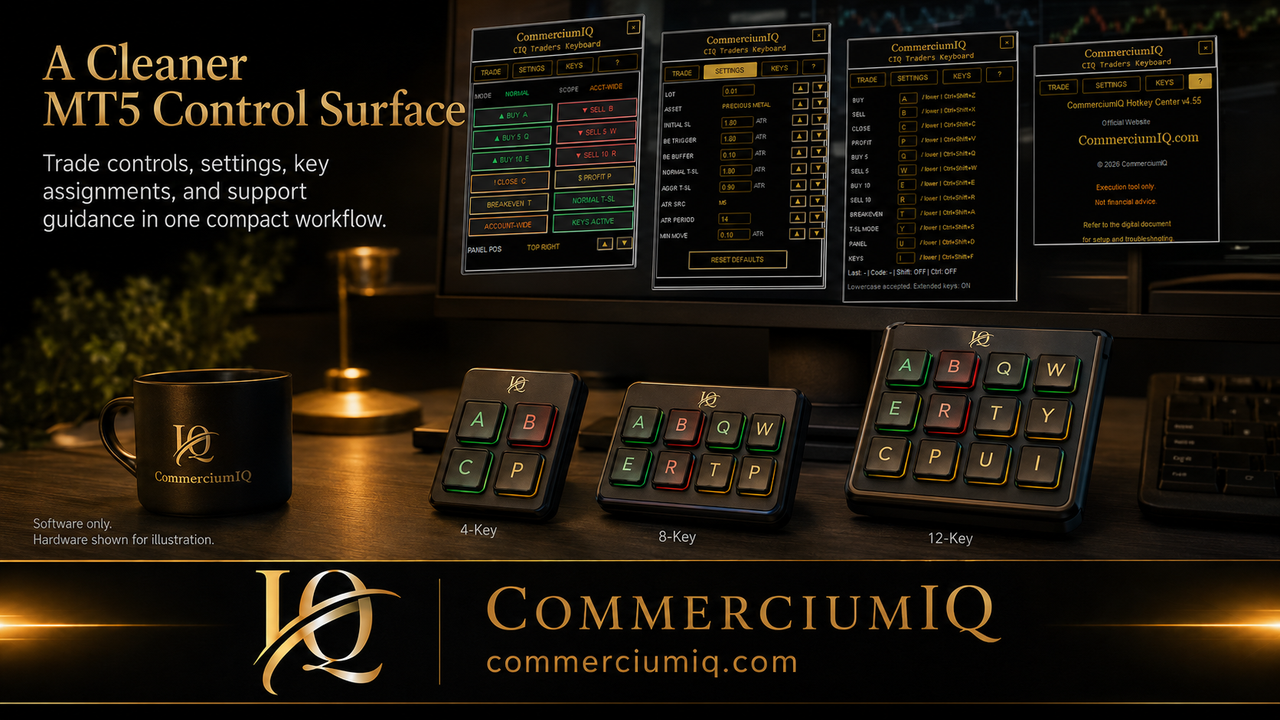
A gold workflow may benefit from a compact macro pad, but labels should stay conservative. Entry commands and close commands should not be placed where they can be confused.
The physical layout should make high-impact commands intentional.
If the user hesitates about a key, the label or layout needs work.
Final XAUUSD workflow rule
An XAUUSD hotkey workflow is ready only when the trader can confirm symbol, account, volume, spread context, command scope, and post-command result in demo.
If the workflow cannot pass that test, it should remain in demo or be simplified.
The purpose is disciplined manual workflow support, not a promise of better gold trades.
Separate gold from ordinary forex assumptions
Gold is often grouped near forex in MT5, but the workflow should not assume it behaves like a major currency pair. Contract details, broker naming, spread, and movement can be different enough to justify a separate checklist.
A user who trades both forex and XAUUSD should confirm whether the same lot-size assumptions, stop behavior, and close workflow make sense for both markets.
The safer approach is to document gold-specific setup details instead of copying a generic forex routine.
Use a gold-specific pre-command checklist
A gold checklist should confirm the exact broker symbol, account, lot size, spread, command scope, and whether news or session conditions are creating unusual movement.
The checklist can be short, but it should exist before fast access is used. Gold can move quickly enough that a wrong command may feel more serious than the same mistake on a small demo forex position.
The command should be the final step after context is verified.
Test close behavior with multiple XAUUSD positions
A gold workflow should test more than one close scenario. The user should test one open position, multiple positions, profitable and losing positions, and current-symbol behavior.
The test should answer exactly what closes and what stays open. If the result is surprising, the command should not be used in a faster workflow yet.
A close command is only useful when the trader can predict the effect before pressing it.
Use conservative macro pad labels for gold
If a macro pad is used with gold, labels should be conservative and direct. Entry keys and close keys should be separated, and high-impact commands should not be placed beside harmless utility actions.
A gold workflow can feel urgent during fast movement, so the physical layout should reduce confusion rather than encourage rapid pressing.
If the label or location creates hesitation, the command should be moved or removed.
Create an XAUUSD setup record
The XAUUSD setup record should include the broker symbol, product version, MT5 terminal, tested command list, volume assumptions, and the date of the latest demo test.
This record protects the user from forgetting setup details after a broker, terminal, or device change.
It also makes future support questions more specific and easier to resolve.
Final gold workflow boundary
CIQ Traders Keyboard should not be presented as a gold strategy, XAUUSD signal tool, or performance enhancer. It is a manual workflow support layer for users who have already made their own trading decisions.
That boundary matters because gold-related search traffic can attract people looking for predictions or fast profit claims.
Keep the workflow grounded: verify the environment, test the command, and preserve manual responsibility.
Final XAUUSD readiness checklist
Before the user relies on the XAUUSD workflow, the final checklist should confirm the exact broker symbol, account type, lot-size method, active chart, spread condition, command label, command scope, and post-command review location.
This checklist keeps the gold workflow practical. It also prevents the page from sounding like a trading strategy or market prediction article.
The product role remains narrow and clear: support manual MT5 command organization after the trader has already made their own decision.
When to keep gold commands off fast access
Gold commands should stay off fast access when the trader is unsure about symbol naming, lot size, spread, stop behavior, or close scope. Removing a command is a responsible workflow decision when the setup is not yet proven.
The user can keep utility actions visible while leaving entry or close actions inside slower MT5 controls until testing is complete.
A disciplined XAUUSD workflow protects clarity first and speed second.