
Key point
A trading command center and plain keyboard shortcuts can both reduce repeated MT5 actions, but they are not the same workflow. Shortcuts are inputs. A command center gives those inputs structure, labels, and a clearer review process.
The safer choice is the one the trader can understand, test, and explain before using on a serious account.
What keyboard shortcuts do well
Keyboard shortcuts can reduce clicking and make frequent actions easier to reach. They are simple, light, and familiar to many desktop users.
The limitation is context. A shortcut may be easy to press but hard to remember, especially if the label exists only in the user's head.
For low-risk utility actions, plain shortcuts may be enough. For trade-affecting actions, the workflow around the shortcut matters much more.
What a command center adds
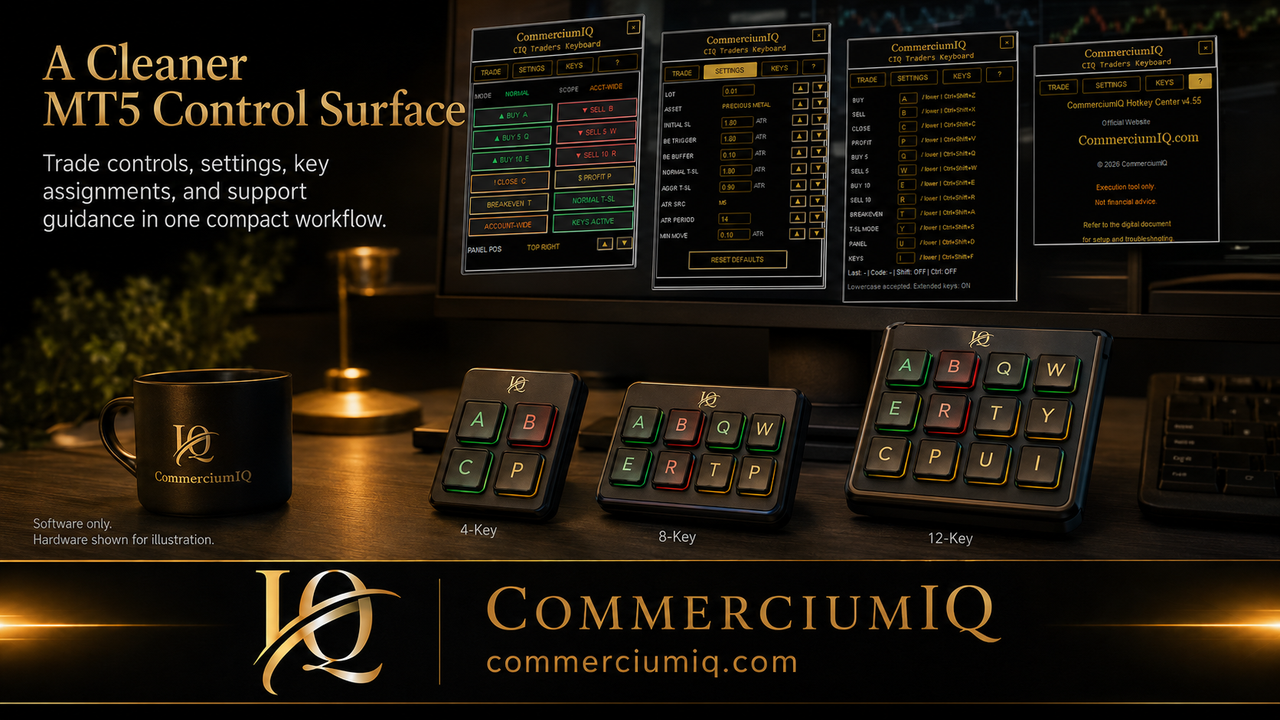
A trading command center can group commands by purpose. Entry, protection, close, utility, and mapping actions can be shown as a workflow instead of scattered key combinations.
That visibility helps the user remember what each action is intended to do. It also gives the setup guide and support process a clearer reference point.
The command center does not make trade decisions. It supports manual workflow actions chosen by the trader.
Why labels matter
A plain shortcut such as a key combination may be hard to understand under pressure. A visible label such as Buy, Sell, Breakeven, Close Profit, or Current Symbol can reduce uncertainty.
Labels should match the software command and the setup documentation. If a label says one thing but the command affects a different scope, the setup is unsafe.
The strongest workflow uses labels to clarify behavior, not to decorate the interface.
Command scope is the real safety issue
A command that affects the current symbol is different from a command that affects multiple positions. A close-profit command is different from close-all behavior.
A command center can make scope easier to explain because commands can be named and grouped. A plain shortcut can still be safe, but only if the user has a written map and a testing habit.
The user should know what positions can be affected before any command is pressed.
Active window and focus risk
Both shortcuts and command centers depend on the desktop environment. If the wrong window has focus, or if the user is not in the expected MT5 state, the result can be unclear.
A command center can reduce some confusion by keeping the workflow visible, but it cannot remove the need to confirm the platform state.
The user should still check the active terminal, active account, active symbol, and position list.
When plain shortcuts may be enough
Plain shortcuts may be enough for traders who use only a few harmless actions, trade infrequently, or prefer slower manual platform controls.
They may also fit users who already have a strong written checklist and do not need a visible software panel.
A product should not pretend that every trader needs a command center. The need depends on workflow friction.
When a command center may be better
A command center may be better when the trader uses repeated MT5 actions, wants grouped commands, needs clearer labels, or is connecting a macro pad to a documented workflow.
It may also help users who want written guidance that matches the on-screen command list.
The value is operational clarity, not a claim that the trader will make better market decisions.
Demo testing both approaches
The fair test is to run both approaches in demo. The user should test the shortcut map, command center labels, active-symbol behavior, close behavior, and post-command review.
The better setup is the one that produces fewer surprises and less hesitation while still preserving deliberate control.
A workflow that cannot be tested clearly should not be treated as ready.
Macro pad considerations
A macro pad can use either plain shortcuts or a command-center workflow. The physical key is only the input layer. The software behavior and command scope still need to be understood.
A command center can make macro pad mapping easier to document because the physical label can match the software label.
If the macro pad profile changes, the full setup should be retested.
Final comparison rule
Use plain shortcuts when the workflow is small and clearly documented. Use a command center when visibility, grouping, labels, and support clarity matter more.
Neither option is a trading edge by itself. Both require platform knowledge, risk management, and demo testing.
The best MT5 workflow is the one that makes the intended manual action obvious before the user sends it.
How to decide between the two
The decision should start with the user's actual friction point. If the user only needs one or two harmless utility actions, plain shortcuts may be enough. If the user needs grouped trade-management actions, visible labels, and a supportable setup, a command center may be a better fit.
The trader should also consider how easy the workflow is to explain. A shortcut map that only exists in memory is fragile. A command center with named actions and a matching setup guide is easier to review.
A practical comparison should measure clarity, not only speed.
Use a shortcut map before adding hardware
Before adding a macro pad or larger control surface, the user should create a shortcut map. The map should list each command, expected result, command scope, and whether the command affects exposure.
This map becomes the bridge between software, keyboard, and physical input devices. If the map is unclear, the hardware layout will be unclear too.
A clean map also makes it easier to remove commands that are not ready for fast access.
Support and troubleshooting differences
Plain shortcuts can be harder to troubleshoot because the problem may involve keyboard focus, platform state, user memory, or missing documentation. A command center can make troubleshooting easier when the command names and setup steps are visible.
Support is most useful when the user can say exactly which command was pressed, which symbol was active, and what MT5 showed afterward.
The more visible the workflow, the easier it is to separate setup issues from user expectation.
When to simplify instead of upgrade
A trader should simplify the workflow if they are pressing the wrong key, forgetting command scope, or hesitating before high-impact commands. Adding more tools in that situation can make the problem worse.
Simplification may mean fewer shortcuts, fewer macro pad keys, or keeping certain actions inside the normal MT5 interface.
A smaller workflow that is fully understood is safer than a larger workflow that looks professional but creates confusion.
Final readiness test
The final readiness test is whether the user can operate the workflow from a written checklist, not memory alone. The checklist should confirm platform, account, symbol, volume, command, scope, and post-command review.
If the command center or shortcut map passes that test in demo, it may be ready for more serious practice. If not, the user should keep refining the workflow.
The product supports this disciplined process rather than promising better results from faster clicking.