
Key point
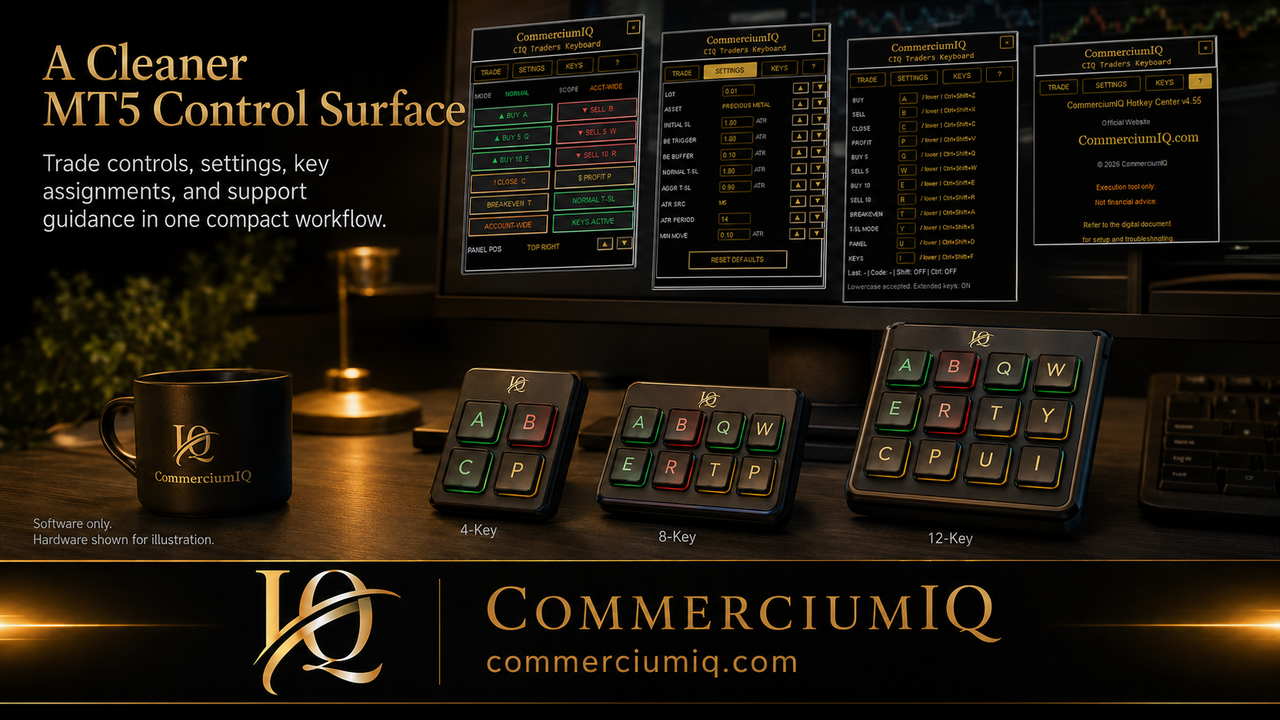
A trading keyboard and macro pad can both support MT5 workflow control, but they solve different layout problems. A trading keyboard gives more space, while a macro pad forces a smaller command set.
The safer choice is the one that keeps the user's actual commands clear and testable.
What a trading keyboard offers
A trading keyboard-style setup can provide more physical space and a more dedicated workflow feel. It may be useful for users who want many commands separated across a larger surface.
The risk is that more space can encourage more commands than the trader can comfortably manage.
A full trading keyboard should still be organized around entry, protection, close, utility, and review.
What a macro pad offers
A macro pad is smaller and usually cheaper. It can sit beside the keyboard and focus only on the most important commands.
The limitation is key count. The trader must choose what belongs on the pad and what should remain in the normal platform workflow.
This limitation can be helpful because it forces a simpler setup.
Compare by command risk
High-risk commands deserve more separation. Close-all, close-profit, current-symbol close, breakeven, and trailing behavior should not be placed casually.
A larger keyboard may allow more spacing. A smaller macro pad may require careful grouping and labeling.
The device choice should support safer command placement rather than simply adding more shortcuts.
Compare by setup complexity
A trading keyboard-style workflow may require more labels, more documentation, and more training. A macro pad may be easier to learn but can become cramped if too many commands are added.
The user should choose the setup they can maintain. A complex layout that is not reviewed can become a source of mistakes.
A small layout that is repeated consistently can be stronger than a large layout that is never mastered.
Compare by portability
A macro pad is usually easier to move between desks or computers. A larger trading keyboard-style setup may be less portable but more spacious.
Portability matters if the user has multiple MT5 installations or travels with a laptop.
Any moved setup should be retested because the physical device, profile software, and MT5 environment may not behave identically.
Compare by labeling
Labels are easier to manage when the number of commands is small. A macro pad can be labeled clearly if it has a focused purpose.
A larger trading keyboard may need a printed layout sheet or more detailed onboarding guide.
The label should always match the software command and the setup document.
Best fit for beginners
A beginner should usually start with fewer commands. Learning MT5 order behavior matters more than building a large key layout.
A macro pad or small software command set can be easier to test step by step.
The beginner should add commands only after they can explain what each action does.
Best fit for experienced manual users
An experienced manual user may benefit from a broader trading keyboard-style workflow if they already know which actions they repeat every session.
That user may care about faster access, but they should still prioritize scope clarity and review habits.
The device should make the existing workflow cleaner, not replace the decision-making process.
Demo testing both options
Whether the user chooses a trading keyboard or macro pad, the full setup must be tested in demo. The test should include command mapping, active symbol, volume, close scope, and platform history review.
A device that looks clear during setup can still behave unexpectedly if the wrong profile or shortcut is active.
Demo testing turns the device choice into evidence instead of preference.
Final comparison summary
Choose a trading keyboard-style setup when the user needs more physical separation and can maintain a larger layout. Choose a macro pad when the user wants a compact command set and simpler labels.
Neither option is a trading edge. Both are workflow tools that need careful setup.
The best choice is the one that reduces confusion while preserving manual control.
Compare learning curve before command count
A larger trading keyboard can hold more commands, but it can also require more learning. A compact macro pad can be easier to learn, but it requires stricter choices about what deserves a key.
The user should compare the learning curve before comparing the number of commands. A layout that cannot be memorized calmly should not be used under pressure.
For many manual MT5 traders, a smaller command set is a stronger starting point than a broad control surface.
When a larger layout makes sense
A larger trading keyboard-style layout can make sense when the trader has a stable routine, multiple command groups, and enough desk space to keep those groups separated.
It may also help when the user wants clear physical zones for entry, protection, close, and utility actions. That physical separation can reduce accidental command selection.
The larger layout should still remain disciplined. More surface area should not become an excuse to add commands that are not tested.
When a macro pad makes sense
A macro pad makes sense when the trader wants a focused group of high-use commands and does not need a full dedicated keyboard surface. It is easier to keep a small pad near the dominant hand.
The pad can be especially useful for users who want to start with a limited workflow and expand only after demo testing. It is also easier to explain in a simple setup guide.
The tradeoff is that the user must decide what not to include.
Compare by recovery after mistakes
A good layout should help the user recover after a mistake. If the user presses the wrong key, they should be able to pause, review the MT5 position list, and identify what happened.
A crowded layout makes recovery harder because the user may not remember which key was pressed or which mode was active. A clearer layout makes the mistake easier to document.
Recovery is an important part of workflow design because no physical input system removes user error.
Use the same demo script for both options
The trader can compare a larger keyboard and a macro pad by using the same demo script. Test the same commands, in the same MT5 environment, and record the results.
This creates a fair comparison based on evidence rather than preference. The better option is the one that produces predictable results with less hesitation.
A demo script also makes it easier to decide whether the user should expand, simplify, or change the device.