
Key point
A trading keyboard is worth considering only when it solves a real workflow problem for a manual MT5 trader. It should not be bought because it sounds faster, more professional, or more exciting.
The value comes from clearer command access, better labels, scoped close actions, and a repeatable demo-tested routine. It does not come from predicting trades or improving a strategy by itself.
What problem should it solve?
The first question is whether the trader repeatedly struggles with platform friction. Examples include hunting for the right panel, switching between chart actions, managing close commands, or forgetting which command affects which scope.
If the trader only places an occasional trade and is comfortable using MT5 manually, a dedicated workflow layer may not be necessary. A simple platform routine may be enough.
If the trader frequently manages positions, tests routines, or wants a clearer command center, software-based hotkey support may have practical value.
It is not a shortcut to better trades
A trading keyboard does not create market structure, risk control, or trade discipline. The trader still needs to know why a trade is being placed, where the trade is invalidated, and what position size is acceptable.
This distinction matters because speed can become dangerous when it is treated as an edge. A faster button can send a good action faster, but it can also send a poor action faster.
The product should be evaluated as workflow software, not as a trading system.
When it can be useful
A trading keyboard can be useful when repeated MT5 tasks create unnecessary friction. Buy, sell, breakeven, close-profit, current-symbol close, panel toggle, and mapping access are examples of commands that may be easier to understand when grouped clearly.
It can also be useful for traders who want a consistent manual routine across sessions. A command center can make the workflow easier to teach, document, and test.
The value increases when the user cares about labels, scope, and review rather than only pressing buttons faster.
When it may not be worth it
It may not be worth it for traders who do not use MT5 Desktop on Windows, do not want to test the workflow in demo, or expect the tool to make trading decisions.
It may also be unnecessary for users who trade so rarely that ordinary MT5 controls already feel simple. Not every trader needs a command layer.
Those limits should be clear before purchase so buyers can judge whether the software fits their workflow and understand what support covers.
Compare software value with hardware expectations
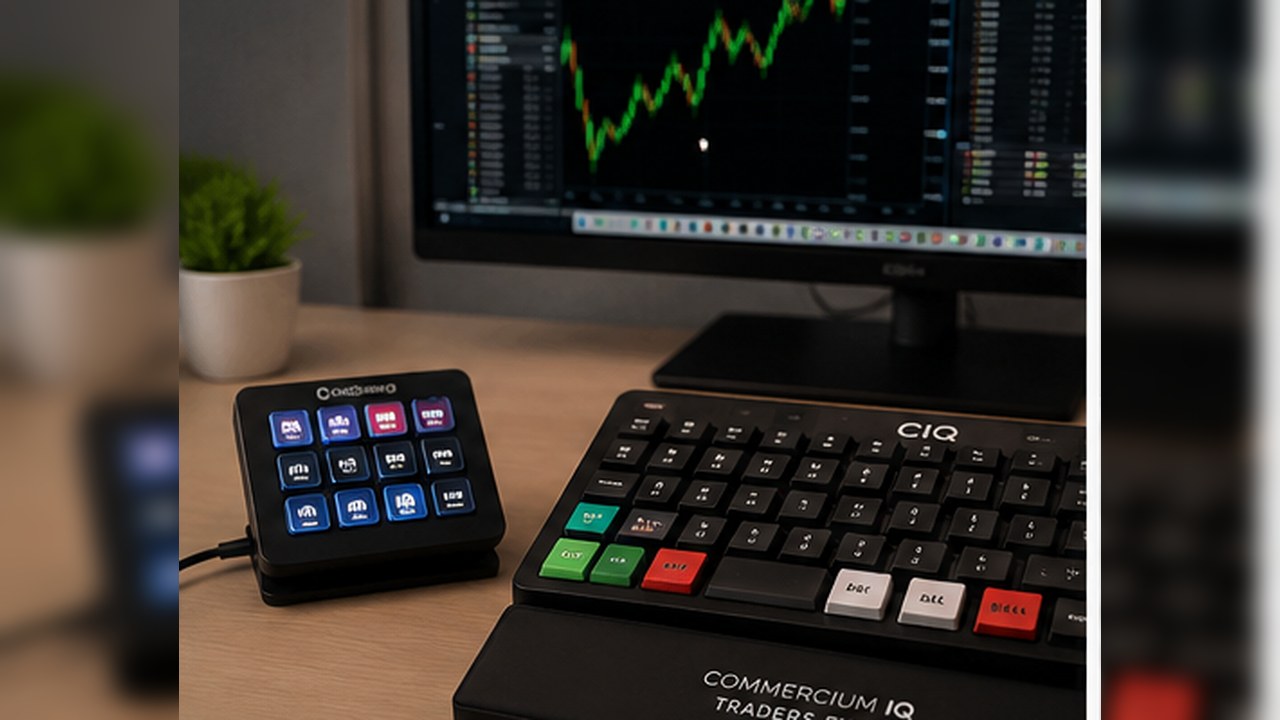
Some traders imagine a physical trading keyboard with custom keys. CIQ Traders Keyboard is software-only workflow support. Hardware images can help explain possible setups, but the product value should be judged by the software command layer.
That means the buyer should understand what is included, what is not included, and what environment is supported before purchasing.
A software-only product can still be valuable, but the page should avoid creating hardware confusion.
Demo testing is part of the value
A serious workflow tool should be tested in demo before the user relies on it. The buyer should verify every mapped command, close scope, symbol behavior, and position result.
This testing process is part of the product value because it turns setup into evidence. The user learns what the tool does in their own MT5 environment instead of assuming behavior from screenshots.
If a buyer is unwilling to demo test, the tool may not be the right fit.
Think about support and maintenance
A trading keyboard workflow is not a one-time visual setup. It may need review after software updates, MT5 changes, broker changes, Windows changes, or key mapping changes.
A buyer should be comfortable keeping a simple checklist or setup note. That small maintenance habit reduces confusion and makes the workflow easier to recover if settings change.
The more the user treats the tool as an operating process, the more useful it can become.
Cost versus time saved
The price should be compared with the amount of repeated MT5 friction removed. If a trader saves small amounts of time but gains a clearer process, the value may be more about confidence and organization than raw speed.
If the trader does not currently have platform friction, the value is lower. A product should not manufacture a problem that the user does not have.
A good buying decision is based on use case, not fear of missing out.
What to check before buying
Before buying, the user should confirm supported platform, supported operating system, software-only scope, included files, refund terms, setup requirements, and support path.
The user should also read the risk disclaimer and understand that the product does not provide financial advice, signals, broker services, or guaranteed outcomes.
This clear review protects both the buyer and the brand.
Final decision framework
A trading keyboard is more likely to be worth it if the trader uses MT5 Desktop on Windows, performs repeated manual actions, values clear command grouping, understands software-only scope, and is willing to demo test.
It is less likely to be worth it if the trader wants predictions, full automation, physical hardware, or a tool that removes the need to understand MT5.
The best answer is not universal. It depends on whether the product solves a real workflow problem for that user.
Who gets the most value from the tool?
The best-fit buyer is usually someone who already understands the basic MT5 workflow but wants less friction around repeated commands. That user is not looking for a signal system. They are looking for clearer operating controls.
This type of trader may care about separating entry commands from protection commands, understanding current-symbol scope, and making command labels easier to review before pressing them.
For that user, the value is not only speed. It is the ability to turn common MT5 actions into a clearer routine that can be tested, documented, and repeated.
Who should wait before buying?
A trader should wait if they are still learning basic order types, cannot explain what close scope means, or expects a tool to make trade decisions. The product should not be used to skip platform literacy.
Waiting can also make sense if the user has not confirmed MT5 Desktop on Windows compatibility or does not want to perform a demo setup check.
A careful buyer is better than a rushed buyer because the product depends on correct setup and user understanding.
What makes the purchase safer?
The safest purchase path is to review the product page, compatibility notes, setup guide, risk disclaimer, refund policy, and support path before buying. That gives the user a realistic view of what is included.
After purchase, the user should verify the command map in demo and record the result of each important action.
If the tool solves a real workflow problem after testing, the purchase is easier to justify.
Bottom-line value test
The simple value test is this: would the trader use a clearer MT5 command center regularly, and can they test it responsibly? If yes, the tool may be useful.
If the trader only wants a magic shortcut, a performance claim, or physical hardware that is not included, the value is not aligned with the product.
A good comparison page should help the reader say either yes or no with confidence.