
Key point
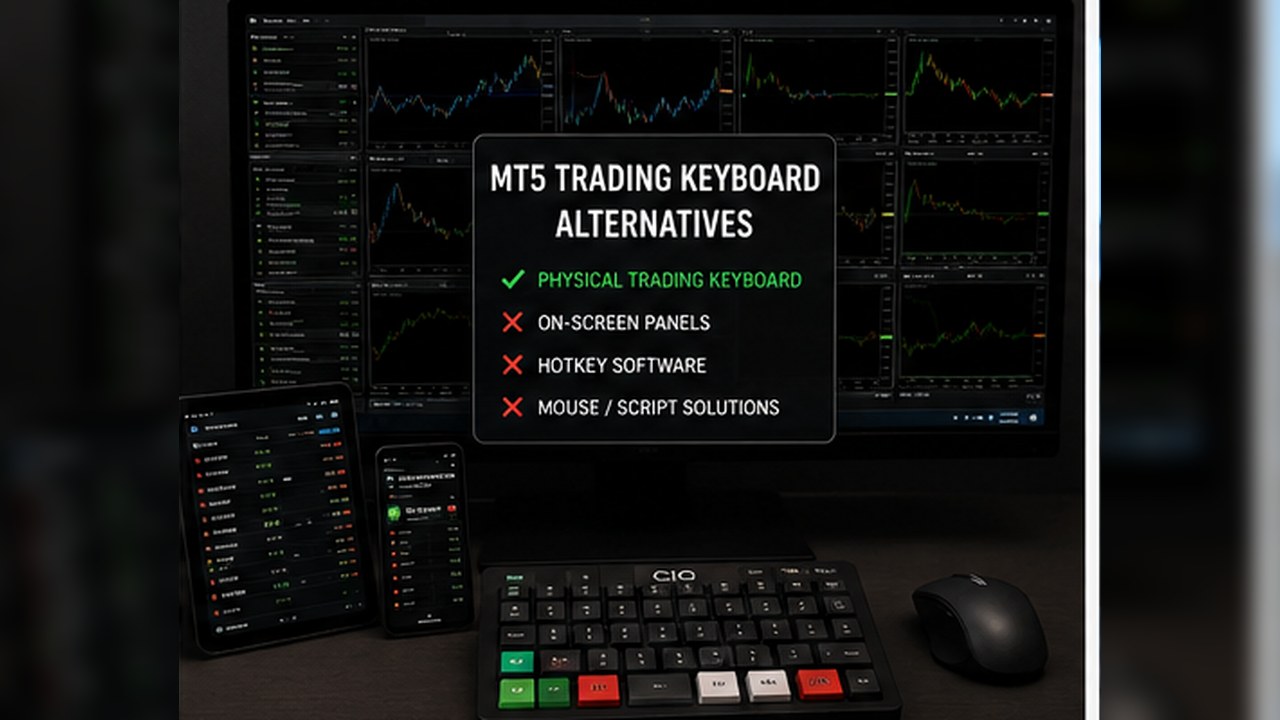
The best MT5 trading keyboard alternative depends on what the trader needs: simpler manual controls, clearer command grouping, custom scripting, automation, or physical button access.
These options are not interchangeable. Each one changes the setup work, support burden, and risk profile.
Manual MT5 controls
The simplest alternative is to use MT5's built-in panels and order windows. This requires no extra software and keeps the trader close to the platform's normal behavior.
Manual controls are a good fit for users who trade occasionally, prefer slower review, or are still learning order mechanics.
The limitation is friction. Repeated actions can feel slower, and close-scope habits may still need written checklists.
MT5 hotkey workflow software
Hotkey workflow software sits between ordinary manual controls and deeper automation. It can group commands, expose common actions, and make a manual routine easier to repeat.
The trader still decides what to do. The software should not choose trades, predict markets, or replace a risk plan.
This option is useful when the user wants workflow organization without building custom scripts or relying on a fully automated strategy.
Custom scripts
Scripts can be powerful because they can be written for a specific action. A trader or developer can create a script to perform a narrow command, such as closing positions under certain conditions.
The downside is that scripts require technical knowledge, testing, maintenance, and careful review. Poorly understood scripts can create as much risk as they solve.
A non-technical trader should be cautious about using code they cannot audit or explain.
Expert Advisors
Expert Advisors can automate trading logic, management rules, or platform actions. They are appropriate for some traders, but they are a different category from manual hotkey workflow support.
An EA may act without a fresh manual click each time, depending on how it is designed. That changes the user's responsibility around testing, monitoring, and rules.
A buyer looking for manual command support should not assume an EA is the same thing.
Physical macro pads
A macro pad can provide physical buttons, but it usually needs software mapping and clear labels. The device is only as safe as the commands assigned to it.
A macro pad can work well with a software command center when the user understands the mapping and tests the behavior in demo.
Hardware alone does not solve workflow design. It can make a clear workflow easier to access or a confusing workflow easier to press by mistake.
Stream Deck-style setups
Stream Deck-style devices can offer labels, icons, profiles, and pages of commands. They may be visually flexible, but they can also encourage too many buttons or layers.
For trading workflows, simplicity matters. If the user must remember too many pages, modes, or icons, the setup may become risky under pressure.
A visual deck is most useful when the command set is small, documented, and tested.
Keyboard shortcuts alone
Ordinary keyboard shortcuts can reduce clicking, but they may not provide enough context. A shortcut like a letter or key combination can be hard to remember unless it is documented and used consistently.
This is why a command center or setup guide can be valuable. It gives the shortcut a visible workflow context.
A shortcut without a process is just a faster input.
Choosing by risk profile
A beginner may be better served by manual controls and demo practice first. A manual trader with repeated workflow friction may prefer hotkey software. A technical user may choose custom scripts. An automation-focused trader may evaluate EAs separately.
The correct choice depends on skill, platform knowledge, tolerance for setup work, and willingness to test.
No option removes the need to understand account, symbol, volume, and close scope.
Choosing by support burden
Manual controls have low setup burden but may be slower. Hotkey software has moderate setup burden and needs demo testing. Scripts and EAs can have higher maintenance burden because code behavior must be understood.
Physical devices add another layer: drivers, profiles, labels, and key mappings.
A buyer should choose the option they can maintain, not only the option that looks most powerful.
Best fit summary
For many manual MT5 users, software workflow support can be a balanced option because it organizes commands without claiming to trade for the user.
For users who want full automation, an EA category may be more relevant. For users who want physical keys, a macro pad may be useful alongside software, but hardware expectations must be clear.
The safest comparison is honest about what each alternative can and cannot control.
Alternative comparison checklist
A useful comparison starts with the trader's actual problem. If the problem is too many clicks, a workflow tool may help. If the problem is lack of strategy, none of the execution tools solve it.
If the problem is physical access, a macro pad or Stream Deck-style device may be part of the setup. If the problem is coded rules, scripts or Expert Advisors may be relevant.
The buyer should match the tool category to the problem instead of choosing the option that looks most impressive.
When manual MT5 remains the best option
Manual MT5 controls remain the best option for users who are still learning the platform or who do not yet trust themselves with faster inputs. Slower can be safer during early learning.
Manual controls also reduce setup layers. There is no extra device profile, command map, or script folder to maintain.
A trading keyboard alternative should be considered only after the user knows what part of the normal workflow feels inefficient.
When software workflow support is the balanced option
Software workflow support is often the balanced option when the trader wants better command organization without handing strategy decisions to automation.
It can create a more visible manual process while still keeping the trader responsible for analysis, size, timing, and review.
This middle ground is the main reason CIQ Traders Keyboard should be compared separately from scripts and EAs.
Avoid comparing by speed alone
Speed is only one comparison factor. A faster input can be helpful, but clarity, support, compatibility, documentation, and demo testability are just as important.
A tool that is slightly slower but easier to verify may be safer than a tool that sends commands quickly but leaves the user uncertain about scope.
The best alternative is the one the trader can explain before using.
Use a phased setup approach
A cautious user can begin with manual MT5 controls, then test software workflow support in demo, and only then consider external devices or custom scripts if needed.
This phased approach prevents the user from adding too many layers at once.
It also makes troubleshooting easier because the trader knows which layer changed when something behaves unexpectedly.