Quick answers
Product-fit answers for MT5 desktop traders
Use these answers to compare the software against default MT5 shortcuts, scripts, EAs, and generic macro pads before buying.
Who is CIQ Traders Keyboard best suited for?
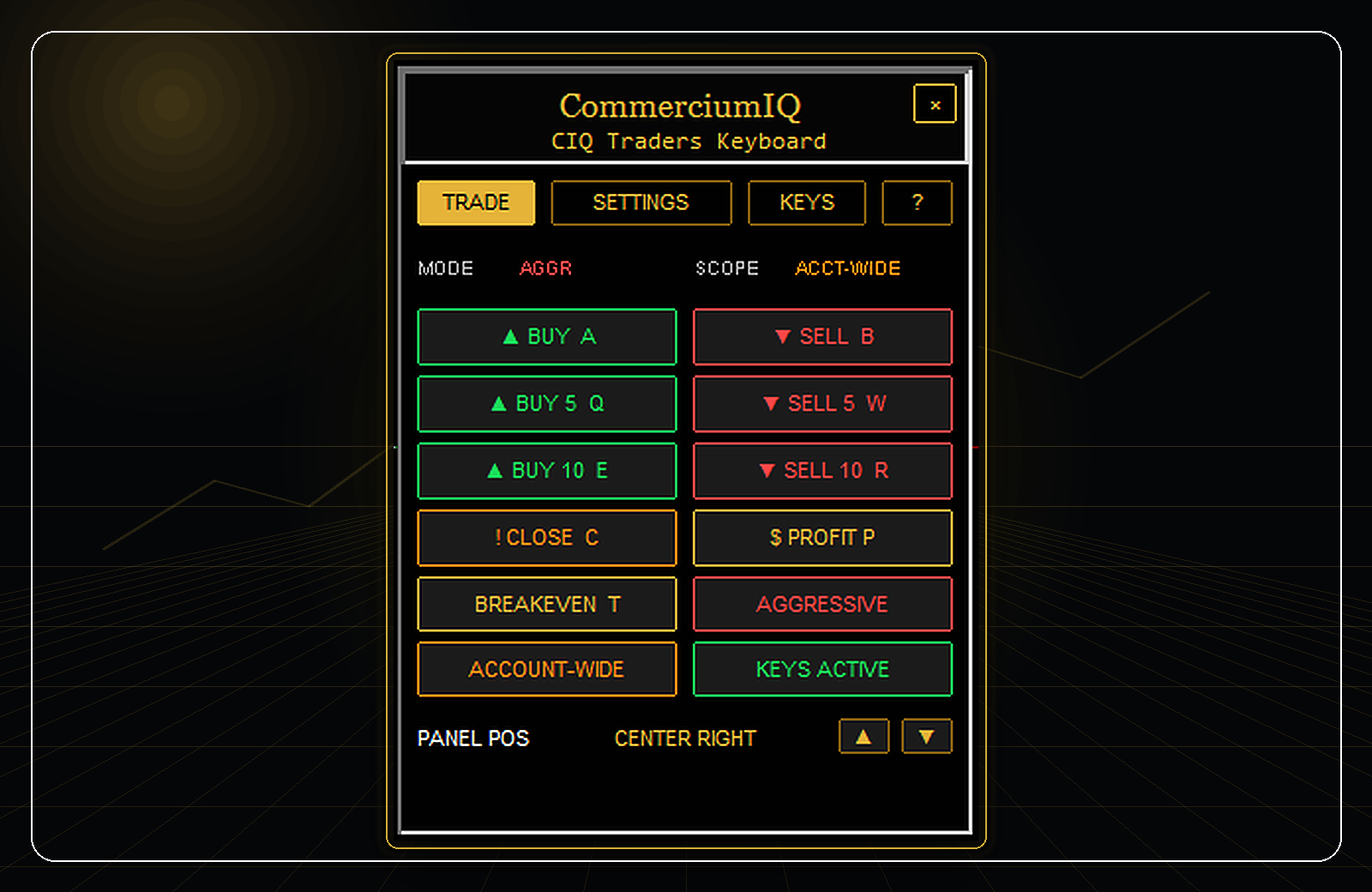
CIQ Traders Keyboard is best suited for manual MT5 Desktop traders on Windows who repeatedly use the same execution and trade-management actions. It is especially relevant for users who want a visible command panel plus keyboard or macro-pad support instead of relying only on MT5 order-window clicks.
It is not designed for traders who want automated entries, signal copying, prediction tools, or hands-free account management. The user still chooses the trade, symbol, lot size, timing, and risk.
- Good fit: manual execution workflow support.
- Poor fit: automatic strategy execution or signal buying.
- Required: demo testing before live use.
How is it different from default MT5 shortcuts?
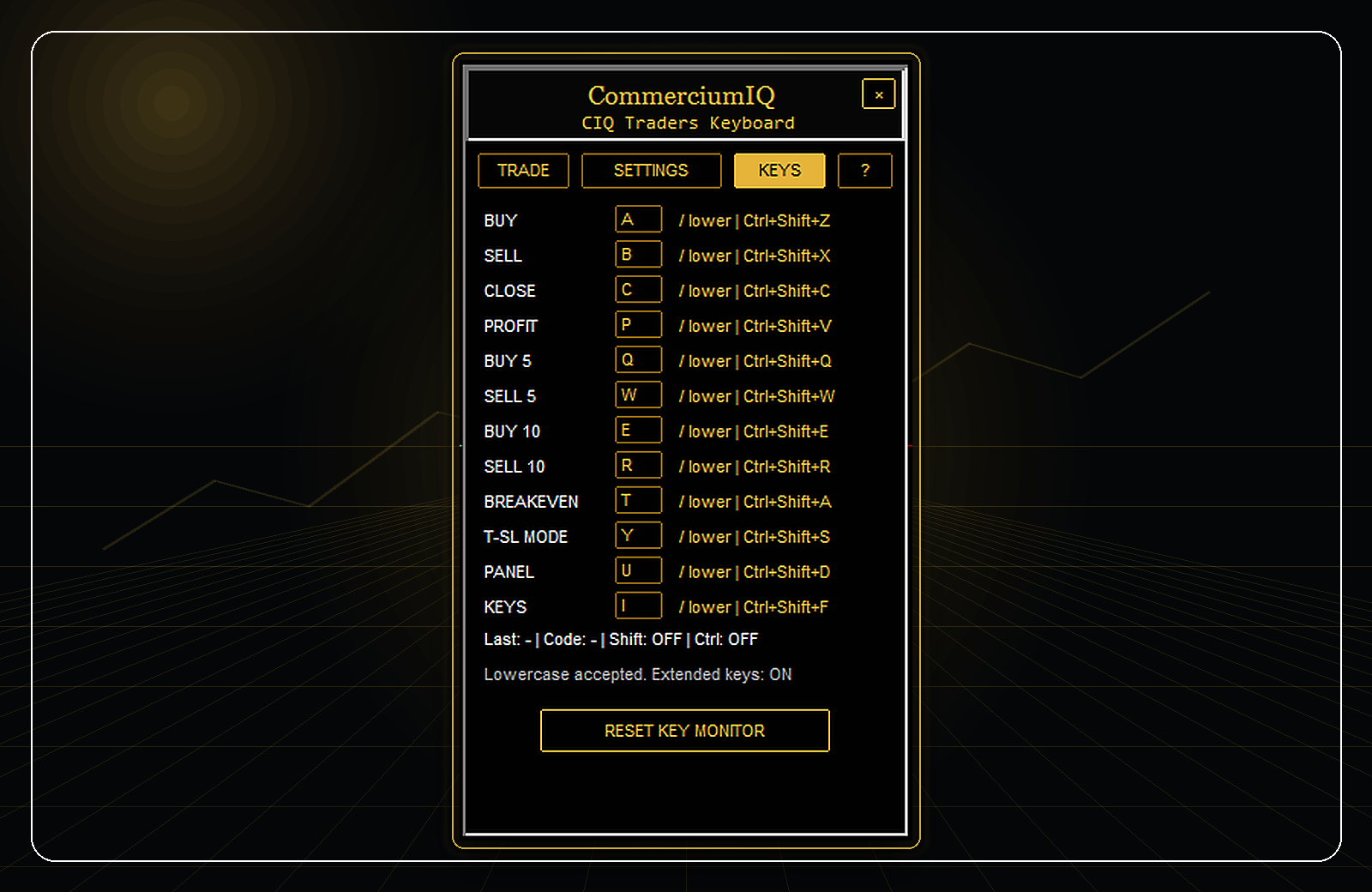
MetaTrader 5 includes many platform shortcuts for navigation, windows, and terminal actions, but traders often look for a more specific workflow around Buy, Sell, Close, Close Profit, Breakeven, trailing-stop mode, and key mapping. CIQ Traders Keyboard focuses on that trade-management workflow layer.
The product also keeps close scope visible because “close current symbol” and “account-wide close” are very different actions. That visibility is a major practical difference from generic key mapping or unmanaged scripts.
- The panel groups repeated commands in one place.
- The Keys tab shows the active mapping.
- The user still controls every trade decision.
Why does current-symbol vs account-wide scope matter?
Close commands can have very different consequences depending on whether they apply only to the active chart symbol or across the account. A current-symbol close is generally easier to test first because it limits the action to positions matching the chart symbol.
Account-wide close behavior should be treated with more caution because it may affect positions outside the current chart. This is why the product, documentation, and FAQ repeatedly remind users to test scope on demo before using live.
- Start with current-symbol scope.
- Use account-wide actions only when the difference is understood.
- Always check active chart and symbol before pressing shortcuts.
What should be tested before a live account?
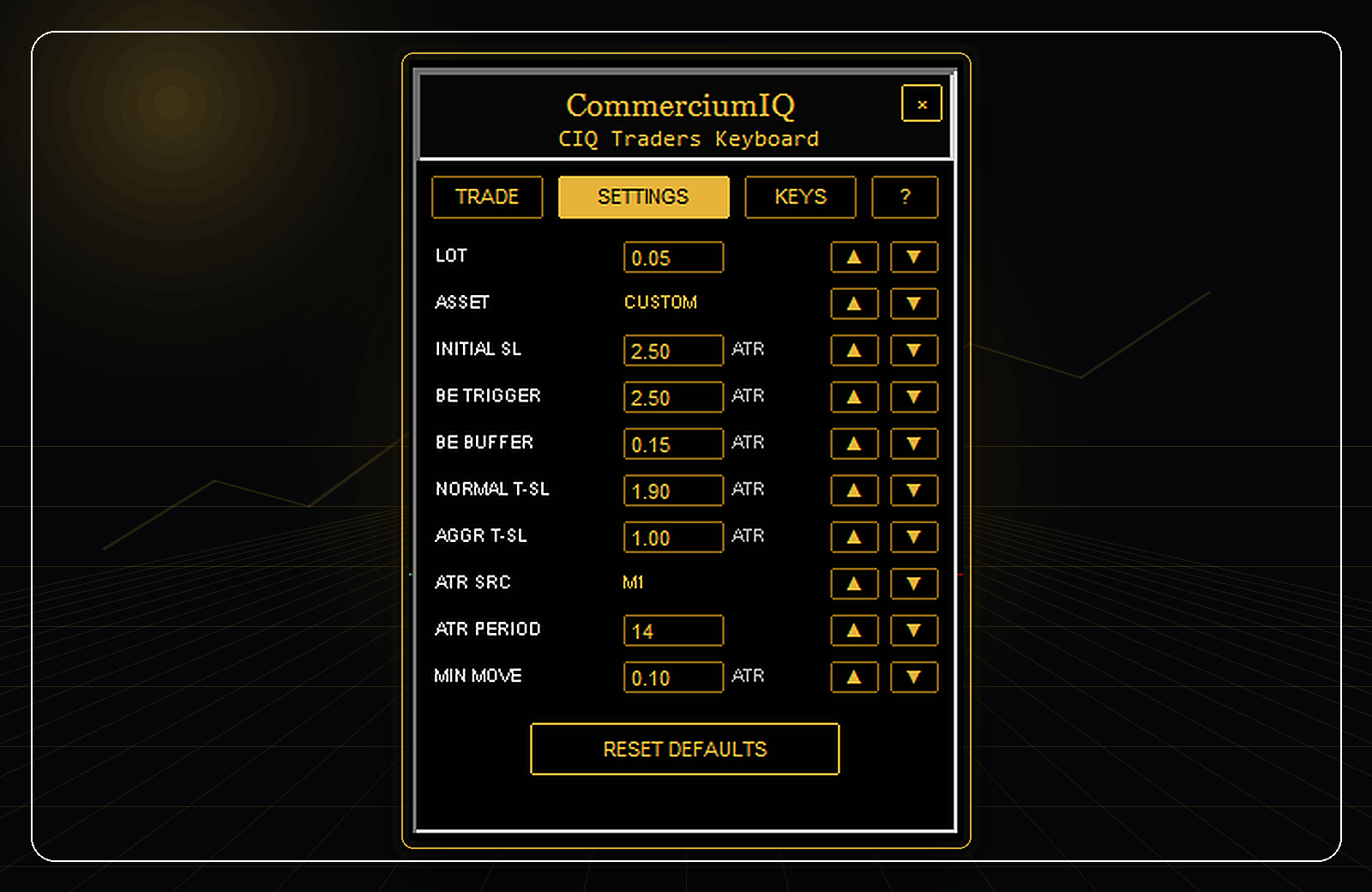
A buyer should test the panel, lot-size entry, decimal input, Buy/Sell buttons, Close and Close Profit buttons, Breakeven + Buffer, trailing-stop mode, keyboard shortcuts, macro-pad mapping, and chart cleanup process on a demo account.
The goal of demo testing is not to prove profitability. It is to confirm that the workflow behaves as expected on the buyer’s MT5 build, broker symbol names, Windows scaling, monitor layout, and input hardware.
- Use the smallest practical demo lot size.
- Test on-screen buttons before hotkeys.
- Keep screenshots of any issue before contacting support.